

Прошедшие игры
-
- Все
- [WC3] HELLHALT
- [WC3] YouTD
- [WC3] Castle Fight
- [WC3] Random Farm TD
- [WC3] Green Circle TD
- [WC3] Burbenog TD
- [WC3] Mission Dead City
- [OZ] LTD-X20 4.5x20 OZ
- [OZ] LegionTD 4x4 x3
- [OZ] Legion Mega x10 3.41
- [OZ] LTD-1x1 King Limit
- [OZ] SC Survival Chaos
- [OZ] Life in Arena
- [WC3] Legion TD x20 NG
- Test Burbenog
-

[WC3] Burbenog TD #6741
-
[WC3] Burbenog TD #6691
-
[WC3] Legion TD x20 NG #1672
-

[WC3] Random Farm TD #513
-
[OZ] Life in Arena #744
-
[OZ] LTD-1x1 King Limit #181
-
[WC3] Burbenog TD #6759
-
[OZ] LTD-X20 4.5x20 OZ #555
-
[OZ] LTD-X20 4.5x20 OZ #568
-
[WC3] Burbenog TD #6705
-
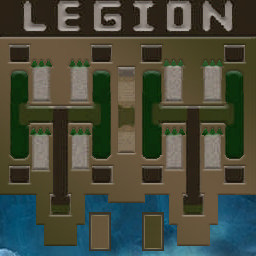
[OZ] LegionTD 4x4 x3 #639
-
[OZ] LTD-X20 4.5x20 OZ #554
-
[WC3] Legion TD x20 NG #1671
-
[WC3] Burbenog TD #6746
-
[WC3] Burbenog TD #6692
-
[OZ] Life in Arena #749
-
[WC3] Burbenog TD #6745
-
[WC3] Burbenog TD #6737
-
[WC3] Burbenog TD #6764
-
[OZ] LTD-X20 4.5x20 OZ #549
-
[OZ] LegionTD 4x4 x3 #648
-
[OZ] Life in Arena #755
-
[WC3] Burbenog TD #6742
-
[WC3] Burbenog TD #6734
-
[OZ] LegionTD 4x4 x3 #666