

Перейти к содержанию
View in the app

A better way to browse. Learn more.

WC3.Info

A full-screen app on your home screen with push notifications, badges and more.

To install this app on iOS and iPadOS
  1. Tap the Share icon in Safari
  2. Scroll the menu and tap Add to Home Screen.
  3. Tap Add in the top-right corner.
To install this app on Android
  1. Tap the 3-dot menu (⋮) in the top-right corner of the browser.
  2. Tap Add to Home screen or Install app.
  3. Confirm by tapping Install.

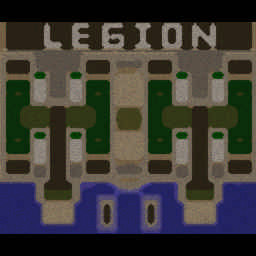
[WC3] Legion TD x20 NG #1314

  • Завершение
  • 12:27 Продолжительность
  1. West Legion

    1. Zaliiipallla

      Iccup

      -10.00

      953 > 943
      вышел из игры ДОБРОВОЛЬНО
    2. TeeKay47

      Iccup

      -10.00

      950 > 940
      вышел из игры ДОБРОВОЛЬНО
    3. Winston19rus

      Iccup

      -13.00

      1038 > 1025
      вышел из игры ДОБРОВОЛЬНО
    4. hz_man

      Iccup

      -12.00

      1003 > 991
      вышел из игры ДОБРОВОЛЬНО
  2. East Legion

    1. AdamGoanskii

      Iccup

      +12.00

      990 > 1002
      вышел из игры ДОБРОВОЛЬНО
    2. Djim_WWW

      Iccup

      +12.00

      989 > 1001
      вышел из игры ДОБРОВОЛЬНО
    3. PsyAngel

      WC3.Info

      +8.00

      1092 > 1100
      вышел из игры ДОБРОВОЛЬНО
    4. Jandaulet

      Iccup

      +11.00

      1036 > 1047
      вышел из игры ДОБРОВОЛЬНО

Чат в лобби

  1. PsyAngel !sc
    • 10:06
    • 13:13

Чат в игре

  1. AdamGoanskii -zoom 170
    • 00:02
  2. PsyAngel -zoom 200
    • 00:02
  3. Zaliiipallla -zoom 180
    • 00:03
  4. TeeKay47 -zoom 155
    • 00:04
    • 00:04
  5. Djim_WWW -zoom 170
    • 01:32
  6. PsyAngel чё какой будем?
    • 04:51
  7. PsyAngel 5 кинем?
    • 08:20
    • 09:20
  8. AdamGoanskii go go
    • 09:30
  9. AdamGoanskii 2 chempa
    • 11:27
  10. PsyAngel подловили
    • 11:34
  11. AdamGoanskii ti prav bro
    • 11:42
    • 12:03
  12. TeeKay47 za4e4m vi takie sinie :'(
    • 12:04
  13. AdamGoanskii izi pts
    • 12:14

Account

Navigation

Поиск

Поиск

Configure browser push notifications

Chrome (Android)
  1. Tap the lock icon next to the address bar.
  2. Tap Permissions → Notifications.
  3. Adjust your preference.
Chrome (Desktop)
  1. Click the padlock icon in the address bar.
  2. Select Site settings.
  3. Find Notifications and adjust your preference.