Перейти к содержанию
View in the app

A better way to browse. Learn more.

WC3.Info

A full-screen app on your home screen with push notifications, badges and more.

To install this app on iOS and iPadOS
  1. Tap the Share icon in Safari
  2. Scroll the menu and tap Add to Home Screen.
  3. Tap Add in the top-right corner.
To install this app on Android
  1. Tap the 3-dot menu (⋮) in the top-right corner of the browser.
  2. Tap Add to Home screen or Install app.
  3. Confirm by tapping Install.

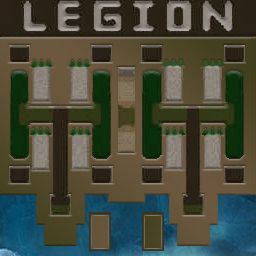
[OZ] LegionTD 4x4 x3 #186

  • Завершение
  • 39:29 Продолжительность
  1. West Legion

    1. Mr197

      Iccup

      +16.00

      888 > 904
      вышел из игры ДОБРОВОЛЬНО
    2. notyourkiki

      Iccup

      +13.00

      970 > 983
      вышел из игры ДОБРОВОЛЬНО
    3. Slabak_v_ltd

      WC3.Info

      +13.00

      952 > 965
      вышел из игры ДОБРОВОЛЬНО
    4. Paaaadloo

      Iccup

      +14.00

      947 > 961
      вышел из игры ДОБРОВОЛЬНО
  2. East Legion

    1. Eshkuloff

      Iccup

      -13.00

      961 > 948
      вышел из игры ДОБРОВОЛЬНО
    2. _nef

      Iccup

      -13.00

      961 > 948
      потерял соединение (ошибка соединения)
    3. Sok061092

      Iccup

      -14.00

      987 > 973
      вышел из игры ДОБРОВОЛЬНО
    4. BorzyiLoL

      Iccup

      -15.00

      1000 > 985
      потерял соединение (ошибка соединения)

Чат в лобби

  • Kto-to_tam- блять откуда вас крабов столько 01:00
  • Enkey afhnfyekj nt) 02:07
  • Enkey фартануло те 02:11
  • _M9ICNuK_ !mode 02:12
  • Enkey лаг был 02:13
  • Enkey не успел захилить 02:16
  • _M9ICNuK_ !p 02:18
  • Sok061092 ебать опять чтоли 03:26
  • Sok061092 угорают над нами 03:32
  • Sok061092 каждый день кач 03:54
  • Sok061092 долго ты грузиш конечно 06:30
  • Sok061092 кстате эта карта дольше чем преддыдушии 06:46
  • Sok061092 !mode 07:20
  • Paaaadloo !mode 07:33

Чат в игре

Account

Navigation

Поиск

Поиск

Configure browser push notifications

Chrome (Android)
  1. Tap the lock icon next to the address bar.
  2. Tap Permissions → Notifications.
  3. Adjust your preference.
Chrome (Desktop)
  1. Click the padlock icon in the address bar.
  2. Select Site settings.
  3. Find Notifications and adjust your preference.