

Перейти к содержанию
View in the app

A better way to browse. Learn more.

WC3.Info

A full-screen app on your home screen with push notifications, badges and more.

To install this app on iOS and iPadOS
  1. Tap the Share icon in Safari
  2. Scroll the menu and tap Add to Home Screen.
  3. Tap Add in the top-right corner.
To install this app on Android
  1. Tap the 3-dot menu (⋮) in the top-right corner of the browser.
  2. Tap Add to Home screen or Install app.
  3. Confirm by tapping Install.

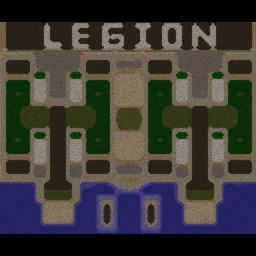
[OZ] LTD-X20 4.5x20 OZ #1331

  • Завершение
  • 05:34 Продолжительность
  1. West Legion

    1. MaminGansta163

      Iccup
      Вышел по окончанию игры
    2. gos_nd

      WC3.Info
      вышел из игры ДОБРОВОЛЬНО
    3. FunGame5555

      Iccup
      Вышел по окончанию игры
    4. CypBx20

      Iccup
      потерял соединение (ошибка соединения)
  2. East Legion

    1. drawspace

      Iccup
      Вышел по окончанию игры
    2. Bolshoy77

      Iccup
      Вышел по окончанию игры
    3. pin_king

      Iccup
      Вышел по окончанию игры
    4. stepurass

      WC3.Info
      вышел из игры ДОБРОВОЛЬНО
    1. ltdx20.ozgame

      Iccup
      Вышел по окончанию игры

Чат в лобби

  1. _psix_]] !hold [-toxic-] 8
    • 00:15
  2. _psix_]] !hcl 5
    • 00:21
  3. _psix_]] !open 8
    • 00:48
  4. _psix_]] !as 8
    • 00:51
  5. _psix_]] !next
    • 00:52
  6. SHoqo1222 !next
    • 01:02
  7. drawspace !mode
    • 01:09
  8. CypBx20 !mode
    • 01:21
  9. pin_king !mode
    • 01:23
    • 01:25
  10. WOPFDestroy !next
    • 01:29
  11. drawspace :DD
    • 01:39
  12. fantomas786 !mode
    • 01:42
  13. drawspace fantomas
    • 01:42
    • 01:44
  14. fantomas786 го 3 мод
    • 01:47
  15. drawspace zretel budew
    • 01:48
    • 01:49
  16. CypBx20 uj 5
    • 01:51
  17. CypBx20 го 4
    • 01:53
  18. drawspace stoy tam
    • 02:24

Чат в игре

  1. pin_king -zoom 150
    • 00:00
  2. gos_nd -п
    • 00:01
  3. stepurass -zoom 211
    • 00:01
  4. FunGame5555 -zoom 140
    • 00:03
  5. ltdx20.ozgame oni kidaem za 2
    • 02:26
  6. ltdx20.ozgame ne cempanuli
    • 02:30
  7. ltdx20.ozgame oni kidaem
    • 02:37
    • 02:39
  8. drawspace xaromi aytma
    • 02:55
  9. drawspace kutinga ye bitch
    • 04:17
  10. pin_king ne pisu rmk
    • 04:18
    • 04:20
  11. pin_king sam livnul
    • 04:20
    • 04:22
  12. Bolshoy77 !rmk
    • 04:24
  13. pin_king ebeni musori
    • 04:24
    • 04:24
  14. drawspace !rmk
    • 04:25
  15. pin_king ne pisite bly
    • 04:27
  16. pin_king sam livnul
    • 04:29
  17. gos_nd !rmk
    • 04:32
    • 04:35
    • 04:36
    • 04:38
  18. drawspace qse xaromi
    • 04:47
  19. drawspace kazyel
    • 04:50
  20. stepurass !rmk
    • 04:53
  21. ltdx20.ozgame oneni ami
    • 05:01
  22. ltdx20.ozgame axaxxaaxxa
    • 05:03
  23. drawspace onajoni fil siksin
    • 05:10
  24. drawspace afrika oborvolib
    • 05:16
  25. ltdx20.ozgame onen ewelan tegida cqb san tugb qoyga
    • 05:23
    • 05:29
  26. ltdx20.ozgame ewen cap tawagida bogansa
    • 05:32

Account

Navigation

Поиск

Поиск

Configure browser push notifications

Chrome (Android)
  1. Tap the lock icon next to the address bar.
  2. Tap Permissions → Notifications.
  3. Adjust your preference.
Chrome (Desktop)
  1. Click the padlock icon in the address bar.
  2. Select Site settings.
  3. Find Notifications and adjust your preference.