

Перейти к содержанию
View in the app

A better way to browse. Learn more.

WC3.Info

A full-screen app on your home screen with push notifications, badges and more.

To install this app on iOS and iPadOS
  1. Tap the Share icon in Safari
  2. Scroll the menu and tap Add to Home Screen.
  3. Tap Add in the top-right corner.
To install this app on Android
  1. Tap the 3-dot menu (⋮) in the top-right corner of the browser.
  2. Tap Add to Home screen or Install app.
  3. Confirm by tapping Install.

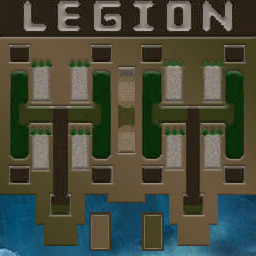
[OZ] LegionTD 4x4 x3 #927

  • Завершение
  • 00:45 Продолжительность
  1. West Legion

    1. Toxichny

      WC3.Info
      вышел из игры ДОБРОВОЛЬНО
    2. ArtegoStark

      Iccup
      Вышел по окончанию игры
    3. 04up

      WC3.Info
      вышел из игры ДОБРОВОЛЬНО
    4. Frizzy01

      Iccup
      потерял соединение (соединение закрыто удалённым хостом)
  2. East Legion

    1. hiddenlife127

      Iccup
      вышел из игры ДОБРОВОЛЬНО
    2. QwerWettt

      Iccup
      Вышел по окончанию игры
    3. Buksna_1

      Iccup
      Вышел по окончанию игры
    4. [as]Shooter

      Iccup
      Вышел по окончанию игры

Чат в лобби

    • 02:09
  1. 04up !mode
    • 06:20
    • 06:57
    • 07:15
    • 07:19
    • 07:23
  2. [as]Shooter !mode
    • 08:54
    • 08:55

Чат в игре

  1. hiddenlife127 -zoom 180
    • 00:00
  2. [as]Shooter сосед дай мид дефнуть
    • 00:05
  3. [as]Shooter даш?
    • 00:17
  4. Buksna_1 -zoom 18-
    • 00:19
  5. QwerWettt -п
    • 00:24
  6. Buksna_1 -zoom 180
    • 00:24
  7. [as]Shooter мид даш дефнуть?
    • 00:25
    • 00:28
  8. Buksna_1 ja priedu
    • 00:28
  9. Buksna_1 posle 10 krosimo
    • 00:28
    • 00:31
    • 00:31
  10. Toxichny !rmk
    • 00:33
  11. Buksna_1 !rmk
    • 00:36
  12. QwerWettt !rmk
    • 00:36
  13. 04up !rmk
    • 00:40
    • 00:41

Account

Navigation

Поиск

Поиск

Configure browser push notifications

Chrome (Android)
  1. Tap the lock icon next to the address bar.
  2. Tap Permissions → Notifications.
  3. Adjust your preference.
Chrome (Desktop)
  1. Click the padlock icon in the address bar.
  2. Select Site settings.
  3. Find Notifications and adjust your preference.