

Перейти к содержанию
View in the app

A better way to browse. Learn more.

WC3.Info

A full-screen app on your home screen with push notifications, badges and more.

To install this app on iOS and iPadOS
  1. Tap the Share icon in Safari
  2. Scroll the menu and tap Add to Home Screen.
  3. Tap Add in the top-right corner.
To install this app on Android
  1. Tap the 3-dot menu (⋮) in the top-right corner of the browser.
  2. Tap Add to Home screen or Install app.
  3. Confirm by tapping Install.

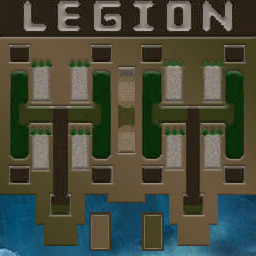
[OZ] LegionTD 4x4 x3 #169

  • Завершение
  • 07:31 Продолжительность
  1. West Legion

    1. TOPTYZHKA

      WC3.Info
      wc3game_games_view_leftreason_LaggedOutDroppedAuto
    2. carlosoff

      Iccup
      wc3game_games_view_leftreason_KickedByVote
    3. mib.riva

      Iccup
      Вышел по окончанию игры
    4. the_one_nike

      Iccup
      Вышел по окончанию игры
  2. East Legion

    1. d.s0

      Iccup
      Вышел по окончанию игры
    2. login_robot

      Iccup
      Вышел по окончанию игры
    3. smollip

      Iccup
      Вышел по окончанию игры
    4. cheout

      Iccup
      Вышел по окончанию игры

Чат в лобби

    • 00:36
  1. smollip что нового?
    • 02:34
  2. carlosoff !sc
    • 03:20

Чат в игре

  1. carlosoff -cls
    • 00:00
  2. carlosoff -zoom 170
    • 00:00
  3. carlosoff -zoom 170
    • 00:00
  4. carlosoff -cls
    • 00:00
  5. carlosoff -zoom 170
    • 00:01
  6. carlosoff -cls
    • 00:01
  7. the_one_nike -zoom 200
    • 00:04
  8. carlosoff -zoom 170
    • 00:05
  9. carlosoff -cls
    • 00:05
    • 00:06
  10. mib.riva -zoom 150
    • 00:12
  11. TOPTYZHKA дай
    • 00:30
  12. TOPTYZHKA я т2 дам
    • 00:38
  13. TOPTYZHKA бля виснет
    • 00:56
  14. d.s0 -g+
    • 01:56
  15. cheout kik red
    • 05:10
  16. cheout red, waht happens
    • 05:10
  17. login_robot WHAT NATHANALES
    • 05:10
  18. the_one_nike lambi
    • 05:10
  19. the_one_nike tut rmk
    • 05:10
  20. the_one_nike goluboy
    • 05:10
    • 05:15
  21. mib.riva !rmk
    • 05:17
    • 05:22
  22. smollip !rmk
    • 05:29
  23. carlosoff !rmk
    • 05:30
  24. cheout continue
    • 05:41
  25. the_one_nike and why u waiting go rmk fast
    • 05:42
  26. the_one_nike rmk fcking idiot
    • 05:56
  27. smollip !rmk
    • 05:58
  28. cheout no continue
    • 06:02
  29. the_one_nike miderom bl
    • 06:06
  30. the_one_nike rmk fast
    • 06:10
  31. cheout leave if u dont like
    • 06:13
  32. smollip !rmk
    • 06:21
  33. mib.riva !rmk
    • 06:30
  34. mib.riva !votekick car
    • 06:38
    • 06:40
    • 06:41
    • 06:44
    • 06:45
  35. login_robot !draw
    • 06:49
  36. mib.riva !rmk
    • 06:53
  37. login_robot !undraw
    • 06:56
    • 07:23
  38. the_one_nike smollip oke bro
    • 07:25
  39. d.s0 !rmk
    • 07:26
    • 07:26
    • 07:28

Account

Navigation

Поиск

Поиск

Configure browser push notifications

Chrome (Android)
  1. Tap the lock icon next to the address bar.
  2. Tap Permissions → Notifications.
  3. Adjust your preference.
Chrome (Desktop)
  1. Click the padlock icon in the address bar.
  2. Select Site settings.
  3. Find Notifications and adjust your preference.