

Перейти к содержанию
View in the app

A better way to browse. Learn more.

WC3.Info

A full-screen app on your home screen with push notifications, badges and more.

To install this app on iOS and iPadOS
  1. Tap the Share icon in Safari
  2. Scroll the menu and tap Add to Home Screen.
  3. Tap Add in the top-right corner.
To install this app on Android
  1. Tap the 3-dot menu (⋮) in the top-right corner of the browser.
  2. Tap Add to Home screen or Install app.
  3. Confirm by tapping Install.

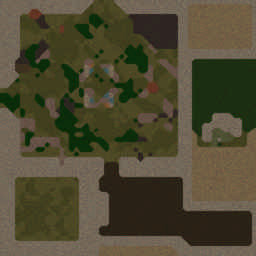
[OZ] Life in Arena #895

  • Завершение
  • 37:13 Продолжительность
  1. Глaдиaтopы

    1. krimnos99

      Iccup

      -13.00

      1079 > 1066
      вышел из игры ДОБРОВОЛЬНО
    2. Mazehacka228

      Iccup

      -12.00

      1000 > 988
      вышел из игры ДОБРОВОЛЬНО
    3. uprun74

      Iccup

      -13.00

      1078 > 1065
      потерял соединение (соединение закрыто удалённым хостом)
    4. Existed

      Iccup

      -12.00

      997 > 985
      вышел из игры ДОБРОВОЛЬНО
    5. popusk_

      Iccup

      -12.00

      990 > 978
      вышел из игры ДОБРОВОЛЬНО
    6. qwertyuiop98

      Iccup

      -14.00

      1146 > 1132
      вышел из игры ДОБРОВОЛЬНО

Чат в лобби

Чат в игре

  1. popusk_ -zoom 150
    • 00:03
  2. krimnos99 -zoom 160
    • 00:06
  3. uprun74 -zoom 135
    • 00:07
  4. uprun74
    • 00:08
  5. Mazehacka228 -zoom 150
    • 00:13
  6. Existed -ре
    • 00:27
  7. krimnos99 -re
    • 00:35
  8. qwertyuiop98 -тп
    • 00:53
  9. Mazehacka228 >>Враг ушел с линии!
    • 00:57
  10. qwertyuiop98 -тп
    • 02:06
  11. popusk_ да заебут
    • 02:51
  12. qwertyuiop98 -тп
    • 03:37
  13. qwertyuiop98 -тп
    • 05:58
  14. popusk_ ну возьми ж ты рнуну
    • 07:20
  15. popusk_ под собой сука
    • 07:22
  16. popusk_ стоит смотрит пиздец
    • 07:27
  17. popusk_ блять красный ты хуесос
    • 07:31
  18. Existed !rmk
    • 07:35
    • 07:48
  19. qwertyuiop98 взпывайй
    • 08:05
  20. Existed >>Враг ушел с линии!
    • 08:55
  21. qwertyuiop98 -тп
    • 09:06
  22. qwertyuiop98 -тп
    • 10:37
  23. qwertyuiop98 -тп
    • 13:16
  24. qwertyuiop98 -тп
    • 15:19
  25. popusk_ сплеш братан
    • 15:30
  26. qwertyuiop98 -тп
    • 17:08
  27. qwertyuiop98 вместе
    • 17:11
  28. qwertyuiop98 взрывай бомбы
    • 18:53
  29. qwertyuiop98 дайте
    • 20:06
  30. qwertyuiop98 спс
    • 20:17
  31. qwertyuiop98 -тп
    • 21:13
  32. krimnos99 80 в долг
    • 21:29
  33. krimnos99 на стан
    • 21:31
  34. krimnos99 30 еще
    • 21:50
  35. krimnos99 поздно
    • 22:04
  36. krimnos99 вернул
    • 23:04
  37. qwertyuiop98 -тп
    • 23:24
  38. qwertyuiop98 -тп
    • 25:33
  39. qwertyuiop98 -тп
    • 28:32
  40. qwertyuiop98 вмете или нет?
    • 28:42
  41. krimnos99 след вместе
    • 28:47
    • 28:51
  42. qwertyuiop98 100 есть?
    • 30:47
  43. krimnos99 дал
    • 30:55
  44. qwertyuiop98 спс
    • 31:01
  45. qwertyuiop98 -тп
    • 31:21
  46. popusk_ конечно же по мне даст стан
    • 32:08
  47. popusk_ лёд ктото сделайте
    • 35:18
  48. popusk_ вместо огня бесполезного
    • 35:26
  49. popusk_ в лейте
    • 35:29
    • 35:42
    • 35:46

Account

Navigation

Поиск

Поиск

Configure browser push notifications

Chrome (Android)
  1. Tap the lock icon next to the address bar.
  2. Tap Permissions → Notifications.
  3. Adjust your preference.
Chrome (Desktop)
  1. Click the padlock icon in the address bar.
  2. Select Site settings.
  3. Find Notifications and adjust your preference.