

Перейти к содержанию
View in the app

A better way to browse. Learn more.

WC3.Info

A full-screen app on your home screen with push notifications, badges and more.

To install this app on iOS and iPadOS
  1. Tap the Share icon in Safari
  2. Scroll the menu and tap Add to Home Screen.
  3. Tap Add in the top-right corner.
To install this app on Android
  1. Tap the 3-dot menu (⋮) in the top-right corner of the browser.
  2. Tap Add to Home screen or Install app.
  3. Confirm by tapping Install.

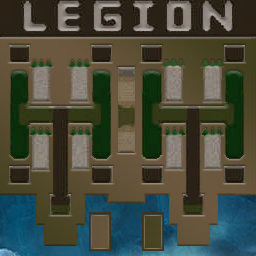
[OZ] LegionTD 4x4 x3 #1486

  • Завершение
  • 43:48 Продолжительность
  1. West Legion

    1. CanadecAlex

      Iccup

      -13.00

      1027 > 1014
      вышел из игры ДОБРОВОЛЬНО
    2. MakPyXa

      WC3.Info

      -12.00

      1001 > 989
      вышел из игры ДОБРОВОЛЬНО
    3. TM-Invincible

      Iccup

      -12.00

      997 > 985
      вышел из игры ДОБРОВОЛЬНО
  2. East Legion

    1. xodey

      Iccup

      +10.00

      1067 > 1077
      вышел из игры ДОБРОВОЛЬНО
    2. VaTaKaT_31

      Iccup

      +15.00

      960 > 975
      вышел из игры ДОБРОВОЛЬНО
    3. KrS7yle

      Iccup

      +10.00

      1072 > 1082
      потерял соединение (ошибка соединения)
    4. itchy

      Iccup

      +14.00

      977 > 991
      вышел из игры ДОБРОВОЛЬНО

Чат в лобби

  • KrS7yle in 01:02
  • itchy emredersiniz cukutanim 01:13
  • KrS7yle 6770 kısıde 5144 uncu olmayı nasıl basardın amk 01:19
  • KrS7yle yarın genelkurmay baskanı gelıcek ya .d 01:26
  • itchy hep mallar denk geliyo 01:28
  • OpeIIIHuk !mode 01:32
  • itchy hadi ya 01:36
  • KrS7yle hıc cekılmez ıs sımdı 01:38
  • KrS7yle herkes dıken ustunde olur sınır stres amk 01:49
  • itchy kimdi 01:50
  • itchy cevik bir mi 01:57
  • KrS7yle yok fevzi cakmak 02:10
  • itchy oooo severus 02:18
  • itchy ana 02:29
  • itchy tanimiyom ben bu seferkini 02:38

Чат в игре

Account

Navigation

Поиск

Поиск

Configure browser push notifications

Chrome (Android)
  1. Tap the lock icon next to the address bar.
  2. Tap Permissions → Notifications.
  3. Adjust your preference.
Chrome (Desktop)
  1. Click the padlock icon in the address bar.
  2. Select Site settings.
  3. Find Notifications and adjust your preference.