Перейти к содержанию
View in the app

A better way to browse. Learn more.

WC3.Info

A full-screen app on your home screen with push notifications, badges and more.

To install this app on iOS and iPadOS
  1. Tap the Share icon in Safari
  2. Scroll the menu and tap Add to Home Screen.
  3. Tap Add in the top-right corner.
To install this app on Android
  1. Tap the 3-dot menu (⋮) in the top-right corner of the browser.
  2. Tap Add to Home screen or Install app.
  3. Confirm by tapping Install.

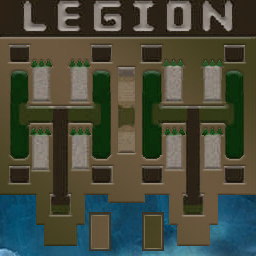
[OZ] LTD-1x1 King Limit #2144

  • Завершение
  • 14:29 Продолжительность
  1. Western Force

    1. Focus

      WC3.Info

      +1.00

      1197 > 1198
      вышел из игры ДОБРОВОЛЬНО
  2. Eastern Force

    1. BuLbaz0r

      WC3.Info

      -1.00

      606 > 605
      вышел из игры ДОБРОВОЛЬНО

Чат в лобби

Чат в игре

  • BuLbaz0r фокус топ мое почтение 00:06
  • Focus spasibo bratan 00:33
  • Focus fakt 00:34
  • BuLbaz0r ну короче с тех пор как ты мне провел ликбез, я стал чуть чаще выигрыва 01:27
  • BuLbaz0r но из-за поломанной статы это все равно никак не повлияло 01:49
  • BuLbaz0r сколько я ни выигрываю, результаты не засчитываются 02:02
  • Focus da eto bug 02:13
  • BuLbaz0r в один день 3 победы одержал и 1 поражение, в итоге - минус 2 птс 02:30
  • Focus eto kiborg ili wandigoo 02:53
  • Focus 1.1 AS 02:55

Account

Navigation

Поиск

Поиск

Configure browser push notifications

Chrome (Android)
  1. Tap the lock icon next to the address bar.
  2. Tap Permissions → Notifications.
  3. Adjust your preference.
Chrome (Desktop)
  1. Click the padlock icon in the address bar.
  2. Select Site settings.
  3. Find Notifications and adjust your preference.