

Перейти к содержанию
View in the app

A better way to browse. Learn more.

WC3.Info

A full-screen app on your home screen with push notifications, badges and more.

To install this app on iOS and iPadOS
  1. Tap the Share icon in Safari
  2. Scroll the menu and tap Add to Home Screen.
  3. Tap Add in the top-right corner.
To install this app on Android
  1. Tap the 3-dot menu (⋮) in the top-right corner of the browser.
  2. Tap Add to Home screen or Install app.
  3. Confirm by tapping Install.

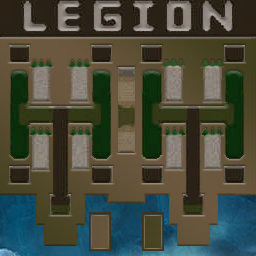
[OZ] LegionTD 4x4 x3 #434

  • Завершение
  • 13:05 Продолжительность
  1. West Legion

    1. Baka_otep_yan

      Iccup

      -5.00

      858 > 853
      вышел из игры ДОБРОВОЛЬНО
    2. gegemon

      WC3.Info

      -10.00

      1022 > 1012
      вышел из игры ДОБРОВОЛЬНО
    3. Wenemik

      Iccup

      -7.00

      942 > 935
      потерял соединение (ошибка соединения)
    4. Maksimka63rus

      Iccup

      -7.00

      941 > 934
      вышел из игры ДОБРОВОЛЬНО
  2. East Legion

    1. y6uuLIa

      Iccup

      +9.00

      1048 > 1057
      вышел из игры ДОБРОВОЛЬНО
    2. franch...

      Iccup

      +7.00

      1093 > 1100
      вышел из игры ДОБРОВОЛЬНО
    3. [Entity]N0a

      Iccup

      +7.00

      1084 > 1091
      вышел из игры ДОБРОВОЛЬНО
    4. URAGANSTRASTl

      Iccup

      +5.00

      1174 > 1179
      вышел из игры ДОБРОВОЛЬНО

Чат в лобби

Чат в игре

Account

Navigation

Поиск

Поиск

Configure browser push notifications

Chrome (Android)
  1. Tap the lock icon next to the address bar.
  2. Tap Permissions → Notifications.
  3. Adjust your preference.
Chrome (Desktop)
  1. Click the padlock icon in the address bar.
  2. Select Site settings.
  3. Find Notifications and adjust your preference.