

- Завершение
-
- 28:31 Продолжительность
-
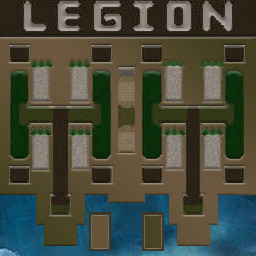
West Legion
-
Eiieeehaaa@Iccup
Eiieeehaaa
Iccup+11.00
998 > 1009вышел из игры ДОБРОВОЛЬНО -
Salchak_1207@Iccup
Salchak_1207
Iccup+13.00
952 > 965вышел из игры ДОБРОВОЛЬНО -
Anaptyx@Iccup
Anaptyx
Iccup+9.00
1036 > 1045вышел из игры ДОБРОВОЛЬНО -
6oJIT@WC3.Info
6oJIT
WC3.Info+6.00
1128 > 1134вышел из игры ДОБРОВОЛЬНО
-
Eiieeehaaa@Iccup
-
East Legion
-
Fafafafyfyfy@Iccup
Fafafafyfyfy
Iccup-11.00
975 > 964вышел из игры ДОБРОВОЛЬНО -
TexHuK-126@Iccup
TexHuK-126
Iccup-14.00
1046 > 1032вышел из игры ДОБРОВОЛЬНО -
genabalakovo@Iccup
genabalakovo
Iccup-7.00
868 > 861вышел из игры ДОБРОВОЛЬНО -
ToTik@IrinaBot
ToTik
IrinaBot-8.00
907 > 899вышел из игры ДОБРОВОЛЬНО
-
Fafafafyfyfy@Iccup
Чат в лобби
-
Salchak_1207 !mode
- 03:04
-
Salchak_1207 !sc
- 03:06
-
Salchak_1207 !sc
- 03:22
-
6oJIT !sc
- 03:26
-
Salchak_1207 go
- 04:16
Чат в игре
-
Eiieeehaaa -zoom 150
- 00:00
-
Eiieeehaaa инк?
- 00:06
-
Salchak_1207 всм
- 00:13
-
Salchak_1207 не шарю
- 00:16
-
genabalakovo -п
- 00:23
-
Salchak_1207 я нуб
- 00:24
-
Anaptyx я к тебе кросс
- 00:43
-
Eiieeehaaa виспов делай
- 00:43
-
Eiieeehaaa 6 1
- 00:44
-
Anaptyx посл 10
- 00:47
-
Eiieeehaaa а я мид встану
- 00:47
-
Eiieeehaaa вот что я попросил
- 00:52
-
Salchak_1207 ок
- 00:56
-
Salchak_1207 на все деньги?
- 01:15
-
Anaptyx под студентку мне тоже место остваь
- 01:15
-
Anaptyx фиол ок?
- 01:19
-
Salchak_1207 красный
- 01:27
-
6oJIT -п
- 01:28
-
Fafafafyfyfy -zoom 166
- 01:31
-
Salchak_1207 на все деньги?
- 01:33
-
Eiieeehaaa ламб сделай +1
- 01:35
-
Eiieeehaaa вместо 7 виспов
- 01:38
-
Salchak_1207 7 1?
- 02:19
-
Eiieeehaaa где рог
- 02:40
-
Eiieeehaaa видишь?
- 02:41
-
Eiieeehaaa локал написано
- 02:46
-
Salchak_1207 ну
- 02:50
-
Eiieeehaaa нажми на него
- 02:52
-
Eiieeehaaa там будет золото
- 02:58
-
Salchak_1207 глобал?
- 02:58
-
Eiieeehaaa нажми на золото
- 03:03
-
Eiieeehaaa и поставь mid
- 03:08
-
Salchak_1207 соло?
- 03:14
-
Eiieeehaaa не не
- 03:22
-
6oJIT второе нажми
- 03:25
-
Eiieeehaaa mid/income/cross
- 03:27
-
Salchak_1207 всё
- 03:32
-
6oJIT гоу 3
- 03:40
-
Salchak_1207 чо оно делает
- 03:40
-
Eiieeehaaa деньги твои показывает
- 03:48
-
Eiieeehaaa которые ты получишь
- 03:55
-
Eiieeehaaa после конца волны
- 03:59
-
Salchak_1207 в чате?
- 04:02
-
Eiieeehaaa нижний тавер
- 04:10
-
Eiieeehaaa справа
- 04:12
-
Salchak_1207 аа
- 04:17
-
Eiieeehaaa надпись
- 04:18
-
Salchak_1207 а чо мне щас делать
- 04:47
-
Eiieeehaaa стаки
- 04:51
-
Eiieeehaaa кидай
- 04:52
-
Eiieeehaaa буква Т
- 04:58
-
Eiieeehaaa моих бьют
- 05:05
-
Eiieeehaaa чужие мобы
- 05:07
-
Eiieeehaaa вот там где бьют
- 05:10
-
Eiieeehaaa туда кидай
- 05:12
-
Anaptyx -п
- 05:32
-
Salchak_1207 русская т?
- 05:34
-
Eiieeehaaa ангнлийская
- 05:38
-
Eiieeehaaa там где рог
- 05:44
-
Eiieeehaaa можешь молнию включить
- 05:49
-
Eiieeehaaa будет анимация
- 05:51
-
Eiieeehaaa молнии
- 05:53
-
Salchak_1207 не работает
- 06:04
-
Eiieeehaaa работает
- 06:09
-
Salchak_1207 мне вручную надо
- 06:15
-
Salchak_1207 нажимать
- 06:18
-
Eiieeehaaa ну конечно
- 06:19
-
Salchak_1207 мышкой
- 06:21
-
Eiieeehaaa тут все так делают
- 06:22
-
Eiieeehaaa смотри что я делаю
- 06:33
-
Salchak_1207 я мышкой делаю
- 06:38
-
Eiieeehaaa и делай так же
- 06:38
-
Salchak_1207 ламбить?
- 07:05
-
Salchak_1207 когда строить буду
- 07:12
-
Eiieeehaaa делай пока
- 07:19
-
Eiieeehaaa виспов ламб
- 07:22
-
Eiieeehaaa 7 5 сделаешь
- 07:24
-
Eiieeehaaa и стройся
- 07:25
-
Salchak_1207 ок
- 07:29
-
Salchak_1207 молнии урон наносят? сколько
- 08:19
-
Eiieeehaaa не
- 08:23
-
Eiieeehaaa они сбивают цель
- 08:29
-
Salchak_1207 типо
- 08:34
-
Eiieeehaaa у мобовв которые нас бьют
- 08:34
-
Eiieeehaaa на милисекунду
- 08:37
-
Salchak_1207 не бьют?
- 08:45
-
Eiieeehaaa ну да
- 08:48
-
Salchak_1207 ок
- 08:51
-
Eiieeehaaa милисекунду не бьют
- 08:52
-
Eiieeehaaa а так же
- 09:04
-
Eiieeehaaa сюда если тыкать
- 09:08
-
Eiieeehaaa мобы побегут наискосок
- 09:12
-
Eiieeehaaa те которых ты стакнул
- 09:17
-
Eiieeehaaa засыл го
- 09:29
-
Eiieeehaaa орки 200
- 09:33
-
Salchak_1207 3 орка дал
- 09:52
-
Eiieeehaaa красавчик
- 09:56
-
Salchak_1207 если они пробьют и придут сюда золото дадут?
- 10:16
-
Eiieeehaaa да
- 10:24
-
Eiieeehaaa если кинга побьют
- 10:28
-
Eiieeehaaa там где GP
- 10:35
-
Eiieeehaaa ты увидишь
- 10:38
-
Eiieeehaaa как золото растет
- 10:41
-
Salchak_1207 а если не побьют?
- 10:44
-
Eiieeehaaa когда наши будут кинга чужого бить
- 10:45
-
Eiieeehaaa ну дадут деньги за засыл только твой
- 10:52
-
Salchak_1207 ок ок
- 10:53
-
Eiieeehaaa 40 голды
- 11:03
-
Eiieeehaaa у тебя щас
- 11:04
-
Eiieeehaaa в инкоме
- 11:06
-
Eiieeehaaa стак нам
- 11:15
-
Salchak_1207 танк нужен?
- 11:40
-
Eiieeehaaa я поставлю сам
- 11:45
-
Anaptyx после 10
- 11:46
-
Eiieeehaaa просто ламби пока
- 11:48
-
Salchak_1207 они дефнули как
- 12:07
-
Eiieeehaaa да
- 12:11
-
Anaptyx у них крос либо мид
- 12:22
-
Anaptyx скорее крос
- 12:24
-
Eiieeehaaa если хочешь научиться играть побыстрее
- 13:41
-
Eiieeehaaa стой в инкоме
- 13:44
-
Eiieeehaaa давай миды или кроссы
- 13:47
-
Eiieeehaaa смотри как делают
- 13:50
-
Eiieeehaaa и повторяй потом сам
- 13:53
-
Salchak_1207 ок
- 14:05
-
Eiieeehaaa го 10 закинем
- 14:49
-
Eiieeehaaa ребят
- 14:51
-
Salchak_1207 спина болит уже больше 3 ч играю
- 14:55
-
Anaptyx потом 17
- 14:56
-
genabalakovo го 10?
- 14:57
-
Anaptyx придеться
- 15:00
-
Eiieeehaaa я тогда 10 ликаю
- 15:08
-
Eiieeehaaa фулл
- 15:09
-
Eiieeehaaa дефайте
- 15:13
-
Anaptyx пусть синий ауры поставит
- 15:58
-
Anaptyx 12 если ты не деф
- 16:02
-
Eiieeehaaa я пока фулл арчу иду
- 16:18
-
Eiieeehaaa дефну 12 думаю
- 16:26
-
genabalakovo го крос комне?
- 16:33
-
Eiieeehaaa видишь я поставил
- 16:36
-
Eiieeehaaa т1 синий
- 16:38
-
Eiieeehaaa это антигуля
- 16:40
-
Eiieeehaaa аг
- 16:44
-
Eiieeehaaa сокращенно
- 16:46
-
Eiieeehaaa о -2
- 17:03
-
Eiieeehaaa 14 можем
- 17:06
-
Eiieeehaaa спокойно идти
- 17:08
-
Eiieeehaaa и убивать
- 17:10
-
genabalakovo т5 т6
- 17:30
-
Anaptyx все
- 17:38
-
Anaptyx скил
- 17:51
-
Eiieeehaaa зачем?
- 17:59
-
genabalakovo отвод
- 18:00
-
6oJIT пусть не палит
- 18:03
-
Salchak_1207 мне дофига дали
- 18:20
-
Eiieeehaaa это нормально
- 18:26
-
Eiieeehaaa синий запомни
- 18:31
-
Eiieeehaaa перед
- 18:33
-
Eiieeehaaa ареной
- 18:35
-
Eiieeehaaa ничего не продаешь
- 18:38
-
Eiieeehaaa после арены можно
- 18:42
-
Eiieeehaaa например там АГ продать
- 18:47
-
Eiieeehaaa отводы
- 18:48
-
Salchak_1207 ок
- 18:54
-
genabalakovo крос идите
- 19:03
-
genabalakovo го 14
- 19:15
-
Salchak_1207 поч тут клетки
- 19:23
-
Anaptyx -п
- 19:28
-
Anaptyx -п
- 19:29
-
6oJIT пропиши-g
- 19:31
-
Salchak_1207 -п
- 19:37
-
Salchak_1207 -п
- 19:44
-
genabalakovo крос иди
- 19:57
-
Eiieeehaaa щас смотри на 12 лвл
- 20:02
-
Eiieeehaaa дашь мне
- 20:03
-
Eiieeehaaa т4
- 20:06
-
Eiieeehaaa это мишка
- 20:08
-
Eiieeehaaa сюда в отвод
- 20:13
-
Anaptyx го?
- 20:14
-
Eiieeehaaa впритык
- 20:15
-
Eiieeehaaa 14 го
- 20:17
-
Eiieeehaaa зачем 12
- 20:19
-
Salchak_1207 чтобы проще было строитмя?
- 20:22
-
Anaptyx ок
- 20:22
-
Eiieeehaaa они 10 скинули
- 20:23
-
Eiieeehaaa не
- 20:29
-
6oJIT иди ко мне в крос
- 20:32
-
Eiieeehaaa мишка ауру имеет
- 20:32
-
Eiieeehaaa замедление
- 20:34
-
Eiieeehaaa скорости передвижения
- 20:39
-
Eiieeehaaa в отводе это
- 20:42
-
Eiieeehaaa имба
- 20:43
-
Eiieeehaaa у нас лик норм
- 21:02
-
Eiieeehaaa дадим норм
- 21:05
-
Salchak_1207 т4?
- 21:10
-
Eiieeehaaa да
- 21:14
-
Eiieeehaaa по порядку
- 21:17
-
Eiieeehaaa по возрастанию
- 21:20
-
Eiieeehaaa грубо говоря 4
- 21:24
-
6oJIT сосед в крос придешь?
- 21:24
-
Eiieeehaaa т4
- 21:25
-
Eiieeehaaa значит tower 4
- 21:28
-
Eiieeehaaa т4
- 21:31
-
Eiieeehaaa 1 картинка твоя
- 21:36
-
Eiieeehaaa будет т1
- 21:38
-
Eiieeehaaa называться
- 21:40
-
Eiieeehaaa вот тут
- 21:44
-
Salchak_1207 это я знаю
- 21:48
-
Salchak_1207 уже сказали
- 21:52
-
Eiieeehaaa ок
- 21:54
-
Salchak_1207 тут ставить?
- 21:59
-
Eiieeehaaa -king
- 22:00
-
Eiieeehaaa ща покажу
- 22:02
-
Eiieeehaaa молнией
- 22:03
-
Eiieeehaaa вплотную
- 22:11
-
Eiieeehaaa кайф
- 22:34
-
genabalakovo глобал
- 22:36
-
TexHuK-126 глобал ставь
- 22:37
-
Salchak_1207 7 5 уже
- 22:53
-
Eiieeehaaa сиди так пока
- 22:57
-
TexHuK-126 нахуй ты апаешь
- 23:41
-
Eiieeehaaa апнешь мишку щас
- 23:43
-
TexHuK-126 еблан
- 23:43
-
Eiieeehaaa теперь на некст лвл
- 24:24
-
Eiieeehaaa т3 дашь
- 24:28
-
Eiieeehaaa две штуки
- 24:30
-
Eiieeehaaa рядом с моими аурами
- 24:36
-
Salchak_1207 -п
- 24:47
-
Salchak_1207 -п
- 24:52
-
Eiieeehaaa засыл
- 25:00
-
TexHuK-126 !vk faf
- 25:02
-
Eiieeehaaa волк урса кодо варлок по 1
- 25:14
-
Eiieeehaaa остальное баллисты
- 25:17
-
Eiieeehaaa троль тож
- 25:30
-
Eiieeehaaa отсюда строй
- 25:55
-
TexHuK-126 кик нахуй его
- 26:01
-
TexHuK-126 сливает игру
- 26:07
-
Eiieeehaaa пизда им
- 26:34
-
Eiieeehaaa хотя хз
- 26:40
-
Eiieeehaaa 14к
- 26:42
-
Eiieeehaaa это точно финиш
- 26:45
-
Eiieeehaaa мы дали на 12.5
- 26:48
-
Eiieeehaaa щас 7 7 ламби синий
- 27:07
-
TexHuK-126 -ff
- 27:13
-
Eiieeehaaa а всё
- 27:17
-
Eiieeehaaa финиш
- 27:18
-
Salchak_1207 победа?
- 27:30
-
Eiieeehaaa да
- 27:33
-
Salchak_1207 фф это же короля хилит?
- 27:52
-
Eiieeehaaa не
- 27:56
-
Salchak_1207 или меня наебали
- 27:57
-
Eiieeehaaa это сдается
- 27:59
-
Eiieeehaaa противник
- 28:01
-
Anaptyx отберите у него кинга
- 28:01
-
Salchak_1207 вот суки
- 28:05
-
Eiieeehaaa смотри GP
- 28:06
-
Eiieeehaaa свое
- 28:08
-
Eiieeehaaa растет
- 28:10
-
Eiieeehaaa когда кинга мы атакуем
- 28:15
-
Fafafafyfyfy ppc
- 28:16
-
ToTik Local socket closed!!!
- 28:25