

Перейти к содержанию
View in the app

A better way to browse. Learn more.

WC3.Info

A full-screen app on your home screen with push notifications, badges and more.

To install this app on iOS and iPadOS
  1. Tap the Share icon in Safari
  2. Scroll the menu and tap Add to Home Screen.
  3. Tap Add in the top-right corner.
To install this app on Android
  1. Tap the 3-dot menu (⋮) in the top-right corner of the browser.
  2. Tap Add to Home screen or Install app.
  3. Confirm by tapping Install.

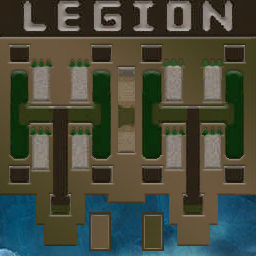
[OZ] LegionTD 4x4 x3 #171

  • Завершение
  • 39:44 Продолжительность
  1. West Legion

    1. olegosart18

      Iccup
      Вышел по окончанию игры
    2. TM-Invincible

      Iccup
      Вышел по окончанию игры
    3. liverest1156

      Iccup
      Вышел по окончанию игры
    4. qwertyps

      Iccup
      Вышел по окончанию игры
  2. East Legion

    1. matrrrang

      WC3.Info
      Вышел по окончанию игры
    2. CHornyiVoron

      Iccup
      Вышел по окончанию игры
    3. pgghka

      WC3.Info
      Вышел по окончанию игры
    4. Angelina21

      Iccup
      Вышел по окончанию игры

Чат в лобби

  • Bboymafiavavas !mode 10:05
  • qwertyps хоев пофиксили? 16:17
  • liverest1156 да хуй знает 16:38
  • liverest1156 какому из патчей верить 16:43
  • Angelina21 Гооворят что ни такие же остались, нноо ризывают тоолькео 1 раз за рарунд 17:00
  • qwertyps да 17:25
  • qwertyps один раз за раун 17:39
  • liverest1156 бля они дали баганый патч 17:39
  • liverest1156 откатили через час 17:44
  • liverest1156 и сука непонятно что переделали 17:54
  • Angelina21 раньше онни ризывали о 1-2-3 раза, сечас толькоо в начале и все 17:55
  • liverest1156 потому что написали еще один микропатч 18:03
  • CHornyiVoron !p 18:25
  • CHornyiVoron !mode 18:28
  • qwertyps норт говорят шя имба 18:29

Чат в игре

Account

Navigation

Поиск

Поиск

Configure browser push notifications

Chrome (Android)
  1. Tap the lock icon next to the address bar.
  2. Tap Permissions → Notifications.
  3. Adjust your preference.
Chrome (Desktop)
  1. Click the padlock icon in the address bar.
  2. Select Site settings.
  3. Find Notifications and adjust your preference.