

Перейти к содержанию
View in the app

A better way to browse. Learn more.

WC3.Info

A full-screen app on your home screen with push notifications, badges and more.

To install this app on iOS and iPadOS
  1. Tap the Share icon in Safari
  2. Scroll the menu and tap Add to Home Screen.
  3. Tap Add in the top-right corner.
To install this app on Android
  1. Tap the 3-dot menu (⋮) in the top-right corner of the browser.
  2. Tap Add to Home screen or Install app.
  3. Confirm by tapping Install.

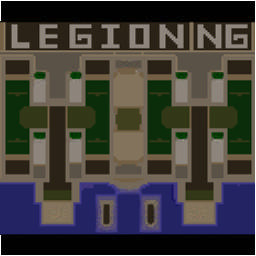
[WC3] Legion TD x20 NG #3021

  • Завершение
  • 27:05 Продолжительность
  1. West Legion

    1. nest_92

      Iccup

      +9.00

      1097 > 1106
      вышел из игры ДОБРОВОЛЬНО
    2. finderr

      Iccup

      +12.00

      1030 > 1042
      вышел из игры ДОБРОВОЛЬНО
    3. Murod5594

      Iccup

      +8.00

      1126 > 1134
      вышел из игры ДОБРОВОЛЬНО
    4. 19UltraVizor91

      Iccup

      +13.00

      995 > 1008
      потерял соединение (ошибка соединения)
  2. East Legion

    1. ocim12345

      Iccup

      -11.00

      1017 > 1006
      вышел из игры ДОБРОВОЛЬНО
    2. lentuga

      Iccup

      -10.00

      1000 > 990
      вышел из игры ДОБРОВОЛЬНО
    3. bloker99

      Iccup

      -10.00

      1003 > 993
      вышел из игры ДОБРОВОЛЬНО
    4. Modzhahed-9-11

      Iccup

      -10.00

      1000 > 990
      вышел из игры ДОБРОВОЛЬНО

Чат в лобби

  1. Murod5594 !sc
    • 00:42
  2. nest_92 !sc
    • 00:43
  3. Murod5594 !sc
    • 00:54
  4. nest_92 !ssc
    • 00:59
  5. nest_92 !sc
    • 01:01
  6. Murod5594 !sc
    • 01:47
  7. lentuga ураааааааа
    • 03:44

Чат в игре

  1. 19UltraVizor91 -zoom 200
    • 00:06
  2. nest_92 -zoom 150
    • 00:06
  3. ocim12345 -zoom 180
    • 01:07
    • 03:34
  4. lentuga -next
    • 03:47
  5. finderr вам тоже кинули?
    • 04:38
  6. finderr а чего мне два дино
    • 04:53
  7. nest_92 korm tebe
    • 05:07
  8. finderr ага а если бы резаки были)
    • 05:16
  9. Murod5594 pand
    • 12:28
  10. Murod5594 панд по болще
    • 12:40
  11. ocim12345 go 8
    • 13:27
  12. bloker99 aga
    • 13:38
  13. nest_92 9 big kati
    • 16:21
  14. Murod5594 10 докинем
    • 22:07
  15. nest_92 tam 10 def netu
    • 22:16
  16. nest_92 kak moi
    • 22:22
  17. Murod5594 откуда
    • 22:26
  18. Murod5594 инфа
    • 22:27
  19. nest_92 tolka blijni
    • 22:36
  20. nest_92 geroi
    • 22:37
  21. nest_92 zaebalsa
    • 22:44
  22. nest_92 uje
    • 22:45
  23. nest_92 bez demoni g?
    • 22:58
  24. nest_92 tam dark
    • 23:07
  25. nest_92 -king
    • 23:21
  26. Murod5594 откуда
    • 23:24
  27. Murod5594 инфа
    • 23:25
  28. Murod5594 чтл дарк
    • 23:29
  29. Murod5594 а яснор
    • 23:41
  30. Murod5594 реально дарк апнули
    • 24:05
  31. Murod5594 вот и все
    • 26:26
  32. bloker99 -ff
    • 26:38

Account

Navigation

Поиск

Поиск

Configure browser push notifications

Chrome (Android)
  1. Tap the lock icon next to the address bar.
  2. Tap Permissions → Notifications.
  3. Adjust your preference.
Chrome (Desktop)
  1. Click the padlock icon in the address bar.
  2. Select Site settings.
  3. Find Notifications and adjust your preference.