

- Завершение
-
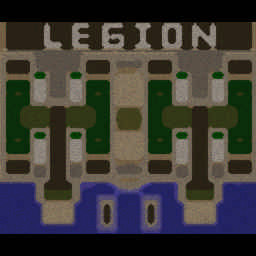
- 04:06 Продолжительность
-
West Legion
-
bares95@Iccup
bares95
IccupВышел по окончанию игры -
1nvoker-)@Iccup
1nvoker-)
IccupВышел по окончанию игры -
RuThleSsSs@WC3.Info
RuThleSsSs
WC3.Infowc3game_games_view_leftreason_LaggedOutDroppedAuto -
Magmister1@Iccup
Magmister1
IccupВышел по окончанию игры
-
bares95@Iccup
-
East Legion
-
GGWP-Maxa@Iccup
GGWP-Maxa
IccupВышел по окончанию игры -
jurayevvv@Iccup
jurayevvv
IccupВышел по окончанию игры -
VladPerson@Iccup
VladPerson
Iccupвышел из игры ДОБРОВОЛЬНО -
CJA-@Iccup
CJA-
IccupВышел по окончанию игры
-
GGWP-Maxa@Iccup
Чат в лобби
-
RuThleSsSs !a
- 08:31
-
RuThleSsSs !sc
- 08:33
-
RuThleSsSs !as 8
- 08:42
-
Pokal fuxk off
- 09:16
-
jurayevvv !SC
- 14:58
-
Cepera_KyM !mode
- 15:18
-
Cepera_KyM !hcl 5
- 15:21
-
RuThleSsSs !sc
- 15:42
-
CJA- !next
- 16:38
-
GGWP-Maxa !mode
- 16:58
-
GGWP-Maxa !s
- 16:59
-
GGWP-Maxa !sc
- 17:00
-
GGWP-Maxa !sc
- 17:15
-
GGWP-Maxa SEREGA KUM)
- 17:20
-
GGWP-Maxa !sc
- 17:21
-
Cepera_KyM !next
- 17:23
-
GGWP-Maxa qq
- 17:23
-
GGWP-Maxa !mode
- 17:28
-
GGWP-Maxa !sc
- 17:29
-
GGWP-Maxa !sc
- 17:37
-
GGWP-Maxa !mode
- 17:38
-
RuThleSsSs !sc
- 17:42
Чат в игре
-
GGWP-Maxa pzdc
- 00:01
-
GGWP-Maxa 3 slot zadrot
- 00:03
-
1nvoker-) -clear
- 00:03
-
CJA- -zoom 200
- 00:06
-
Magmister1 -zoom 200
- 00:07
-
VladPerson -zoom 188
- 00:08
-
GGWP-Maxa -Cls
- 00:10
-
GGWP-Maxa -Cls
- 00:54
-
GGWP-Maxa !mode Ruth
- 01:04
-
GGWP-Maxa -Cls
- 01:05
-
GGWP-Maxa !stats ruth
- 01:11
-
GGWP-Maxa vot
- 01:16
-
GGWP-Maxa -Cls
- 01:25
-
GGWP-Maxa warrior
- 01:50
-
1nvoker-) -clear
- 01:51
-
GGWP-Maxa kinem
- 02:08
-
GGWP-Maxa !undrcrow
- 02:08
-
1nvoker-) -clear
- 02:08
-
1nvoker-) -clear
- 02:08
-
GGWP-Maxa -Cls
- 02:08
-
GGWP-Maxa -Cls
- 02:08
-
GGWP-Maxa zBc)
- 02:08
-
1nvoker-) -clear
- 02:08
-
1nvoker-) ruthlesss
- 02:08
-
1nvoker-) !rmk
- 02:11
-
VladPerson !rmk
- 02:13
-
bares95 !rmk
- 02:18
-
Magmister1 !rmk
- 02:20
-
bares95 g rmk
- 02:34
-
bares95 1rmk
- 02:54
-
bares95 !rmk
- 02:56
-
jurayevvv WTO
- 02:58
-
bares95 dayti
- 03:03
-
bares95 rmk
- 03:05
-
VladPerson !rmk
- 03:06
-
GGWP-Maxa -Cls
- 03:12
-
jurayevvv WTO ON
- 03:18
-
bares95 !rmk
- 03:19
-
GGWP-Maxa -Cls
- 03:28
-
GGWP-Maxa !undrcrown
- 03:33
-
jurayevvv !RMK
- 03:51
-
CJA- !rmk
- 04:01
-
jurayevvv !RMK
- 04:01