

Перейти к содержанию
View in the app

A better way to browse. Learn more.

WC3.Info

A full-screen app on your home screen with push notifications, badges and more.

To install this app on iOS and iPadOS
  1. Tap the Share icon in Safari
  2. Scroll the menu and tap Add to Home Screen.
  3. Tap Add in the top-right corner.
To install this app on Android
  1. Tap the 3-dot menu (⋮) in the top-right corner of the browser.
  2. Tap Add to Home screen or Install app.
  3. Confirm by tapping Install.

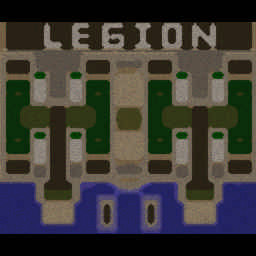
[OZ] LTD-X20 4.5x20 OZ #1329

  • Завершение
  • 34:30 Продолжительность
  1. West Legion

    1. _GoodZone_63

      WC3.Info

      +14.00

      958 > 972
      вышел из игры ДОБРОВОЛЬНО
    2. savemx

      Iccup

      +14.00

      970 > 984
      вышел из игры ДОБРОВОЛЬНО
    3. Stepchikkk

      Iccup

      +11.00

      1040 > 1051
      вышел из игры ДОБРОВОЛЬНО
    4. Rostlend

      Iccup

      +9.00

      1082 > 1091
      вышел из игры ДОБРОВОЛЬНО
  2. East Legion

    1. Leshiy95

      WC3.Info

      -10.00

      955 > 945
      вышел из игры ДОБРОВОЛЬНО
    2. kverda

      Iccup

      -13.00

      1025 > 1012
      потерял соединение (соединение закрыто удалённым хостом)
    3. gomogomognom

      WC3.Info

      -12.00

      1009 > 997
      вышел из игры ДОБРОВОЛЬНО
    4. Slava-m

      Iccup

      -12.00

      1007 > 995
      вышел из игры ДОБРОВОЛЬНО

Чат в лобби

  1. Rostlend !hcl 5
    • 03:20
  2. Leshiy95 !mode
    • 05:41
  3. Mr_Dick !deny 100
    • 05:55
  4. Mr_Dick будет пол года качать
    • 06:01
  5. _GoodZone_63 !mode
    • 06:29
  6. Mr_Dick !next
    • 06:59
  7. Cepera_KyM !next
    • 07:36

Чат в игре

  1. Rostlend -zoom 200
    • 00:54
  2. gomogomognom 2 будем?
    • 02:20
  3. gomogomognom ок лес апну
    • 02:35
  4. Rostlend нет
    • 05:19
  5. kverda go 7
    • 11:10
  6. savemx -king
    • 16:30
  7. savemx kakoy
    • 21:40
  8. Leshiy95 без арены?
    • 22:53
  9. kverda го арену
    • 23:01
  10. kverda я демона дам
    • 23:11
  11. Leshiy95 я уже нажал
    • 23:16
  12. Leshiy95 !sc
    • 25:45
  13. Leshiy95 rblftv&
    • 29:04
  14. Leshiy95 кидаем?
    • 29:07
  15. Leshiy95 мы уже проебали просто
    • 29:09
  16. Leshiy95 мы 7 не пробили а сами проебали
    • 29:15
  17. Leshiy95 арену отдали
    • 29:16
  18. Leshiy95 с вами чё?
    • 30:06
  19. Leshiy95 решать не хотим не чего?
    • 30:14
  20. gomogomognom ну хз по мне так шанс на 15 есть
    • 30:23
  21. Leshiy95 а нахуй ты анархию качаешь?
    • 32:45
  22. Leshiy95 после 10 дают бесплатно
    • 32:48
  23. Leshiy95 !rmk
    • 32:50
  24. Leshiy95 -ff
    • 32:56
  25. savemx -king
    • 33:32

Account

Navigation

Поиск

Поиск

Configure browser push notifications

Chrome (Android)
  1. Tap the lock icon next to the address bar.
  2. Tap Permissions → Notifications.
  3. Adjust your preference.
Chrome (Desktop)
  1. Click the padlock icon in the address bar.
  2. Select Site settings.
  3. Find Notifications and adjust your preference.