

Перейти к содержанию
View in the app

A better way to browse. Learn more.

WC3.Info

A full-screen app on your home screen with push notifications, badges and more.

To install this app on iOS and iPadOS
  1. Tap the Share icon in Safari
  2. Scroll the menu and tap Add to Home Screen.
  3. Tap Add in the top-right corner.
To install this app on Android
  1. Tap the 3-dot menu (⋮) in the top-right corner of the browser.
  2. Tap Add to Home screen or Install app.
  3. Confirm by tapping Install.

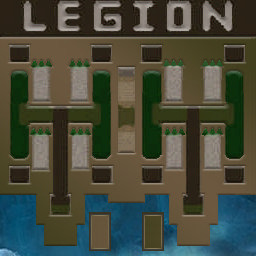
[OZ] LegionTD 4x4 x3 #2713

  • Завершение
  • 07:19 Продолжительность
  1. West Legion

    1. Testonate

      Iccup
      вышел из игры ДОБРОВОЛЬНО
    2. skiletrix

      Iccup
      потерял соединение (ошибка соединения)
    3. NikolaichBest

      WC3.Info
      вышел из игры ДОБРОВОЛЬНО
    4. LLIpuntik

      Iccup
      Вышел по окончанию игры
  2. East Legion

    1. Omg)_gavrusha

      Iccup
      Вышел по окончанию игры
    2. thendal

      WC3.Info
      вышел из игры ДОБРОВОЛЬНО
    3. ok-1ok

      Iccup
      Вышел по окончанию игры
    4. CheekyN

      Iccup
      Вышел по окончанию игры

Чат в лобби

    • 00:19
  1. LLIpuntik !mode
    • 00:53
    • 01:09
    • 01:38

Чат в игре

  1. thendal мод 1?
    • 00:00
  2. CheekyN -zoom 155
    • 00:00
  3. thendal Мод 1?
    • 00:06
  4. Testonate -п
    • 00:09
  5. Omg)_gavrusha dash mid?
    • 00:12
  6. thendal иди
    • 00:16
  7. LLIpuntik -zoom 160
    • 00:24
  8. CheekyN встать мид?
    • 00:28
  9. CheekyN Сосед
    • 00:30
  10. thendal под мои т5 маги зайдуь
    • 00:40
  11. thendal вам бы тоже мид
    • 00:51
  12. thendal у вас пиздатый пик
    • 00:56
  13. CheekyN в кросс уйдем
    • 01:03
  14. CheekyN после 10
    • 01:12
  15. thendal там быстро убили
    • 02:01
  16. thendal чет
    • 02:01
  17. thendal кинут ща
    • 02:15
  18. LLIpuntik конб
    • 02:17
  19. thendal думают что кони
    • 02:21
  20. thendal мб
    • 02:22
  21. ok-1ok 3 dadut oni
    • 02:50
  22. LLIpuntik хз даже смысла нету кидать
    • 02:54
  23. Testonate что там?
    • 02:59
  24. LLIpuntik конь мид
    • 03:03
  25. Testonate я в телефоне сидел
    • 03:03
  26. LLIpuntik ок
    • 03:14
  27. thendal 5 чтоли
    • 04:44
  28. thendal либо 4
    • 04:47
  29. CheekyN сразу в 6 или 7
    • 04:58
  30. thendal погоду
    • 05:58
  31. thendal походу*
    • 06:02
  32. ok-1ok ili shya dadut
    • 06:23
  33. Testonate если пробьем то 8
    • 06:34
  34. skiletrix loll
    • 06:45
  35. Omg)_gavrusha hermit
    • 06:45
    • 06:45
  36. CheekyN !rmk
    • 06:51
  37. LLIpuntik !rmk
    • 06:53
  38. CheekyN начинается вечер
    • 06:55
  39. Testonate !rmk
    • 06:56
    • 06:59
  40. thendal !rmk
    • 07:05
  41. CheekyN !rmk
    • 07:09
    • 07:14

Account

Navigation

Поиск

Поиск

Configure browser push notifications

Chrome (Android)
  1. Tap the lock icon next to the address bar.
  2. Tap Permissions → Notifications.
  3. Adjust your preference.
Chrome (Desktop)
  1. Click the padlock icon in the address bar.
  2. Select Site settings.
  3. Find Notifications and adjust your preference.