

Перейти к содержанию
View in the app

A better way to browse. Learn more.

WC3.Info

A full-screen app on your home screen with push notifications, badges and more.

To install this app on iOS and iPadOS
  1. Tap the Share icon in Safari
  2. Scroll the menu and tap Add to Home Screen.
  3. Tap Add in the top-right corner.
To install this app on Android
  1. Tap the 3-dot menu (⋮) in the top-right corner of the browser.
  2. Tap Add to Home screen or Install app.
  3. Confirm by tapping Install.

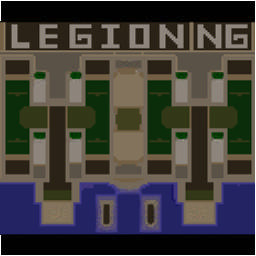
[WC3] Legion TD x20 NG #1784

  • Завершение
  • 02:34 Продолжительность
  1. West Legion

    1. Nasvaipodgybe

      IrinaBot
      Вышел по окончанию игры
    2. MoHTAHa

      WC3.Info
      вышел из игры ДОБРОВОЛЬНО
    3. Dagon1te

      Iccup
      вышел из игры ДОБРОВОЛЬНО
    4. PALLADIY

      WC3.Info
      вышел из игры ДОБРОВОЛЬНО
  2. East Legion

    1. maver1ck_0_0

      Iccup
      Вышел по окончанию игры
    2. xXMSTYLEXx

      Iccup
      Вышел по окончанию игры
    3. Alex_Lev

      WC3.Info
      вышел из игры ДОБРОВОЛЬНО
    4. WGTRavKA

      Iccup
      потерял соединение (соединение закрыто удалённым хостом)

Чат в лобби

  1. MoHTAHa !hold nasvaipodgybe 1
    • 00:20
  2. MoHTAHa !hold Dagon1te 3
    • 00:31
  3. Dagon1te на зелен Вам рмк не дал
    • 01:25
  4. nightDragon_ xueplot
    • 01:47
  5. WGTRavKA ку
    • 02:25
  6. nightDragon_ zachem krasniy zakrit?
    • 02:27
  7. WGTRavKA ребзя
    • 02:27
  8. Kucka9aB дагон
    • 02:29
  9. Kucka9aB нюхай бибу
    • 02:34
    • 03:13
    • 03:16
    • 03:17
    • 03:18
  10. Dagon1te хуесос одним словом
    • 03:36
  11. MoHTAHa !hcl 112
    • 03:38
  12. WGTRavKA во
    • 03:39
  13. MoHTAHa норм битва)
    • 03:51
    • 03:54

Чат в игре

  1. WGTRavKA -п
    • 00:02
  2. Nasvaipodgybe -zoom 170
    • 00:02
  3. maver1ck_0_0 -zoom 150
    • 00:02
  4. Dagon1te -ящщь 170
    • 00:02
  5. Dagon1te -п
    • 00:03
  6. WGTRavKA -zoom 160
    • 00:04
  7. xXMSTYLEXx -zoom 200
    • 00:05
  8. PALLADIY -ящщь 200
    • 00:15
  9. PALLADIY -п
    • 00:16
  10. MoHTAHa -п
    • 00:18
  11. PALLADIY сука
    • 01:28
  12. PALLADIY забыл накурить
    • 01:34
  13. MoHTAHa ахаха
    • 01:38
  14. Dagon1te правильно все себе
    • 01:45
  15. MoHTAHa бро ты нам фору дал)
    • 02:03
  16. MoHTAHa дал
    • 02:08
  17. Alex_Lev !rmk
    • 02:12
    • 02:20
  18. Dagon1te !rmk
    • 02:23
  19. Nasvaipodgybe как раз
    • 02:23
  20. PALLADIY !rmk
    • 02:24
  21. Nasvaipodgybe рмк))
    • 02:26
  22. xXMSTYLEXx !rmk
    • 02:27
  23. MoHTAHa !rmk
    • 02:29

Account

Navigation

Поиск

Поиск

Configure browser push notifications

Chrome (Android)
  1. Tap the lock icon next to the address bar.
  2. Tap Permissions → Notifications.
  3. Adjust your preference.
Chrome (Desktop)
  1. Click the padlock icon in the address bar.
  2. Select Site settings.
  3. Find Notifications and adjust your preference.