

Перейти к содержанию
View in the app

A better way to browse. Learn more.

WC3.Info

A full-screen app on your home screen with push notifications, badges and more.

To install this app on iOS and iPadOS
  1. Tap the Share icon in Safari
  2. Scroll the menu and tap Add to Home Screen.
  3. Tap Add in the top-right corner.
To install this app on Android
  1. Tap the 3-dot menu (⋮) in the top-right corner of the browser.
  2. Tap Add to Home screen or Install app.
  3. Confirm by tapping Install.

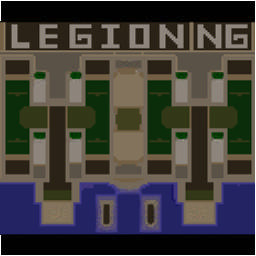
[WC3] Legion TD x20 NG #1123

  • Завершение
  • 02:40 Продолжительность
  1. West Legion

    1. MoHTAHa

      WC3.Info
      wc3game_games_view_leftreason_LaggedOutDroppedAuto
    2. Nasvaipodgybe

      IrinaBot
      wc3game_games_view_leftreason_LaggedOutDroppedAuto
    3. PALLADIY

      WC3.Info
      потерял соединение (ошибка соединения)
    4. Stasyamba1991

      Iccup
      потерял соединение (ошибка соединения)
  2. East Legion

    1. TBou_npu3pak

      Iccup
      потерял соединение (ошибка соединения)
    2. ssq43rrr

      WC3.Info
      wc3game_games_view_leftreason_LaggedOutDroppedAuto
    3. rasvo_pick

      Iccup
      потерял соединение (ошибка соединения)
    4. SHERIFF_7

      Iccup
      потерял соединение (ошибка соединения)

Чат в лобби

  1. TBou_npu3pak 4 лобби
    • 00:20
  2. TBou_npu3pak из за ебланов на премах
    • 00:25
    • 00:47
  3. MoHTAHa !hold nasvaipodgybe 2
    • 01:29
  4. RiCK-_- а я хотел 48 девилов сделать)
    • 01:45
  5. SHERIFF_7 норм гейм будет
    • 01:46
  6. MoHTAHa !a
    • 01:48
  7. Nasvaipodgybe мод -ap стоял
    • 01:58
  8. SF_VS_VOKER_ nu tak ne saberite sebya budut normas
    • 02:04
  9. RiCK-_- ахуенный мод
    • 02:07
    • 02:08
  10. MoHTAHa !hold Palladiy 3
    • 02:13
  11. MoHTAHa !hold stasya,ba 1991 4
    • 02:30
  12. MoHTAHa !Hold stasyamba1991 4
    • 02:51
  13. MoHTAHa !hcl 112
    • 04:01
  14. MoHTAHa !as 8
    • 04:05
    • 04:06

Чат в игре

  1. Nasvaipodgybe Local socket closed!!!
    • 00:01

Account

Navigation

Поиск

Поиск

Configure browser push notifications

Chrome (Android)
  1. Tap the lock icon next to the address bar.
  2. Tap Permissions → Notifications.
  3. Adjust your preference.
Chrome (Desktop)
  1. Click the padlock icon in the address bar.
  2. Select Site settings.
  3. Find Notifications and adjust your preference.