Перейти к содержанию
View in the app

A better way to browse. Learn more.

WC3.Info

A full-screen app on your home screen with push notifications, badges and more.

To install this app on iOS and iPadOS
  1. Tap the Share icon in Safari
  2. Scroll the menu and tap Add to Home Screen.
  3. Tap Add in the top-right corner.
To install this app on Android
  1. Tap the 3-dot menu (⋮) in the top-right corner of the browser.
  2. Tap Add to Home screen or Install app.
  3. Confirm by tapping Install.

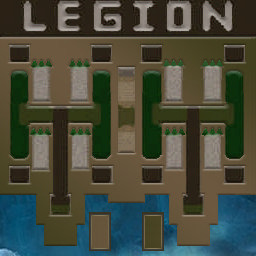
[OZ] LTD-1x1 King Limit #189

  • Завершение
  • 14:36 Продолжительность
  1. Western Force

    1. pastushenko201

      Iccup

      -10.00

      1000 > 990
      вышел из игры ДОБРОВОЛЬНО
  2. Eastern Force

    1. terman4ik

      Iccup

      +10.00

      1054 > 1064
      вышел из игры ДОБРОВОЛЬНО

Чат в лобби

    • 04:34
  1. terman4ik хай
    • 04:37
    • 04:42

Чат в игре

  1. pastushenko201 здесь что-то новое есть как на других?
    • 01:07
  2. terman4ik тут в основном стандарт
    • 01:21
  3. terman4ik минимум изменений от станодартной версии
    • 01:39
  4. pastushenko201 -zoom 135
    • 01:48
  5. terman4ik основное
    • 01:49
  6. terman4ik это что апы кинга до 20 ограничены
    • 02:03
  7. pastushenko201 -zoom 120
    • 02:05
  8. terman4ik и на 14 можно демна кидать
    • 02:18
  9. pastushenko201 окей
    • 02:50
    • 02:55
    • 02:58
    • 03:00
  10. pastushenko201 забыл как по очереди
    • 06:12
  11. terman4ik очереди что? атаковать кингом?
    • 06:39
  12. terman4ik через шифт
    • 06:43
  13. pastushenko201 начало такое у меня)
    • 07:43
  14. terman4ik у меня всё обычно
    • 08:03
  15. terman4ik не сильно и не слобо
    • 08:09
  16. terman4ik среднее начало
    • 08:14
  17. terman4ik ты как будто хорошо играл, но пару лет назад
    • 14:03
  18. pastushenko201 откуда знаешь?
    • 14:15
  19. terman4ik такое впечатление)
    • 14:16
  20. terman4ik по игре
    • 14:19

Account

Navigation

Поиск

Поиск

Configure browser push notifications

Chrome (Android)
  1. Tap the lock icon next to the address bar.
  2. Tap Permissions → Notifications.
  3. Adjust your preference.
Chrome (Desktop)
  1. Click the padlock icon in the address bar.
  2. Select Site settings.
  3. Find Notifications and adjust your preference.