

Перейти к содержанию
View in the app

A better way to browse. Learn more.

WC3.Info

A full-screen app on your home screen with push notifications, badges and more.

To install this app on iOS and iPadOS
  1. Tap the Share icon in Safari
  2. Scroll the menu and tap Add to Home Screen.
  3. Tap Add in the top-right corner.
To install this app on Android
  1. Tap the 3-dot menu (⋮) in the top-right corner of the browser.
  2. Tap Add to Home screen or Install app.
  3. Confirm by tapping Install.

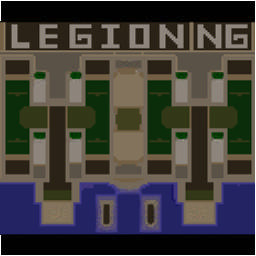
[WC3] Legion TD x20 NG #338

  • Завершение
  • 15:30 Продолжительность
  1. West Legion

    1. CbP03081988

      Iccup

      -10.00

      960 > 950
      вышел из игры ДОБРОВОЛЬНО
    2. vikusya_220

      Iccup

      -11.00

      1008 > 997
      вышел из игры ДОБРОВОЛЬНО
    3. TeslaFuture

      Iccup

      -12.00

      1010 > 998
      вышел из игры ДОБРОВОЛЬНО
    4. RighTsS

      IrinaBot

      -11.00

      1000 > 989
      вышел из игры ДОБРОВОЛЬНО
  2. East Legion

    1. sWallst

      WC3.Info

      +11.00

      1032 > 1043
      вышел из игры ДОБРОВОЛЬНО
    2. SacreD27031996

      Iccup

      +18.00

      868 > 886
      вышел из игры ДОБРОВОЛЬНО
    3. zloy_raq

      WC3.Info

      +6.00

      1168 > 1174
      вышел из игры ДОБРОВОЛЬНО
    4. nest_92

      Iccup

      +9.00

      1073 > 1082
      потерял соединение (соединение закрыто удалённым хостом)

Чат в лобби

  1. zloy_raq !sc
    • 04:42

Чат в игре

  1. sWallst -п
    • 00:00
  2. CbP03081988 -zoom 200
    • 00:05
  3. TeslaFuture -zoom 160
    • 00:07
  4. nest_92 -zoom 150
    • 00:08
  5. RighTsS -zoom 180
    • 00:09
  6. SacreD27031996 -zoom 175
    • 00:18
  7. sWallst можно и 6
    • 09:13
  8. SacreD27031996 зачемпили все
    • 12:59
  9. SacreD27031996 походу
    • 13:01
  10. TeslaFuture ,thbnt
    • 13:06
  11. sWallst и 8 можно тоже
    • 13:56
  12. SacreD27031996 там пирса много
    • 14:09
  13. SacreD27031996 9 идеально
    • 14:16
  14. SacreD27031996 будет
    • 14:21
  15. SacreD27031996 хотя
    • 14:26
    • 14:29
  16. zloy_raq ЧАМП ЕБЕТ БОМЖЕЙ
    • 14:32
  17. SacreD27031996 чтоб они не ожидали
    • 14:34

Account

Navigation

Поиск

Поиск

Configure browser push notifications

Chrome (Android)
  1. Tap the lock icon next to the address bar.
  2. Tap Permissions → Notifications.
  3. Adjust your preference.
Chrome (Desktop)
  1. Click the padlock icon in the address bar.
  2. Select Site settings.
  3. Find Notifications and adjust your preference.