

Перейти к содержанию
View in the app

A better way to browse. Learn more.

WC3.Info

A full-screen app on your home screen with push notifications, badges and more.

To install this app on iOS and iPadOS
  1. Tap the Share icon in Safari
  2. Scroll the menu and tap Add to Home Screen.
  3. Tap Add in the top-right corner.
To install this app on Android
  1. Tap the 3-dot menu (⋮) in the top-right corner of the browser.
  2. Tap Add to Home screen or Install app.
  3. Confirm by tapping Install.

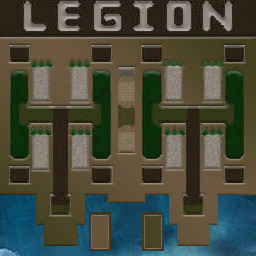
[OZ] LegionTD 4x4 x3 #677

  • Завершение
  • 43:02 Продолжительность
  1. West Legion

    1. xuipizda

      WC3.Info

      +12.00

      1015 > 1027
      вышел из игры ДОБРОВОЛЬНО
    2. Hard1

      WC3.Info

      +13.00

      988 > 1001
      вышел из игры ДОБРОВОЛЬНО
    3. chvi44

      Iccup

      +16.00

      918 > 934
      вышел из игры ДОБРОВОЛЬНО
    4. vladosik_car

      Iccup

      +16.00

      932 > 948
      вышел из игры ДОБРОВОЛЬНО
  2. East Legion

    1. NoNameSS1994

      WC3.Info

      -12.00

      960 > 948
      вышел из игры ДОБРОВОЛЬНО
    2. Destyno

      Iccup

      -16.00

      1054 > 1038
      wc3game_games_view_leftreason_LaggedOutDroppedAuto
    3. [PvP]_MoHcTeP

      Iccup

      -18.00

      1098 > 1080
      вышел из игры ДОБРОВОЛЬНО
    4. SVINOSLAV-

      Iccup

      -11.00

      937 > 926
      вышел из игры ДОБРОВОЛЬНО

Чат в лобби

  • IGANGSTAR hi 00:16
  • Napalm !sc 00:25
  • Ya9 !sc 00:36
  • BremorWMS !sc 00:49
  • SVINOSLAV- yandex liquid смотрите? 01:53
  • xuipizda так 03:01
  • SVINOSLAV- !sc 03:01
  • xuipizda ливните кто нить внизу 03:05
  • SVINOSLAV- Emery will likely see that as a chance to lift the squad, but with a tight turnaround to our meeting on the Sunday, the Reds may benefit from the longer break. 05:16
  • Hard1 !mode 05:17

Чат в игре

Account

Navigation

Поиск

Поиск

Configure browser push notifications

Chrome (Android)
  1. Tap the lock icon next to the address bar.
  2. Tap Permissions → Notifications.
  3. Adjust your preference.
Chrome (Desktop)
  1. Click the padlock icon in the address bar.
  2. Select Site settings.
  3. Find Notifications and adjust your preference.