

Перейти к содержанию
View in the app

A better way to browse. Learn more.

WC3.Info

A full-screen app on your home screen with push notifications, badges and more.

To install this app on iOS and iPadOS
  1. Tap the Share icon in Safari
  2. Scroll the menu and tap Add to Home Screen.
  3. Tap Add in the top-right corner.
To install this app on Android
  1. Tap the 3-dot menu (⋮) in the top-right corner of the browser.
  2. Tap Add to Home screen or Install app.
  3. Confirm by tapping Install.

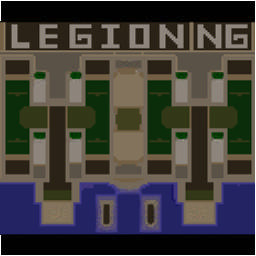
[WC3] Legion TD x20 NG #195

  • Завершение
  • 33:49 Продолжительность
  1. West Legion

    1. Redhumannrg

      Iccup

      +14.00

      1005 > 1019
      вышел из игры ДОБРОВОЛЬНО
    2. Sivayder

      Iccup

      +10.00

      1102 > 1112
      вышел из игры ДОБРОВОЛЬНО
    3. Murod5594

      Iccup

      +8.00

      1135 > 1143
      вышел из игры ДОБРОВОЛЬНО
    4. Zoyafaa

      Iccup

      +12.00

      1042 > 1054
      вышел из игры ДОБРОВОЛЬНО
  2. East Legion

    1. Ewix111

      Iccup

      -11.00

      1020 > 1009
      вышел из игры ДОБРОВОЛЬНО
    2. khebi

      Iccup

      -8.00

      964 > 956
      вышел из игры ДОБРОВОЛЬНО
    3. krugly01

      Iccup

      -10.00

      1018 > 1008
      вышел из игры ДОБРОВОЛЬНО
    4. tooyfoon

      Iccup

      -14.00

      1098 > 1084
      вышел из игры ДОБРОВОЛЬНО

Чат в лобби

  1. Sivayder !sc
    • 01:40
  2. Murod5594 !sc
    • 01:50
  3. Murod5594 !autosttart
    • 02:22
  4. Murod5594 !autostart
    • 02:29
  5. Murod5594 !open 1
    • 02:46
  6. Murod5594 !open 1
    • 03:35
  7. Murod5594 !swap 2 4
    • 04:38
  8. Murod5594 wa sek
    • 04:47
  9. Murod5594 !open 1
    • 04:54
  10. Murod5594 !start
    • 05:15
  11. Murod5594 sps
    • 05:20
  12. tooyfoon когда хуесосу дали права
    • 05:26
  13. Ewix111 в том лобби хачи хуесосы
    • 05:32
  14. krugly01 )))
    • 05:35
  15. Murod5594 !start
    • 05:50

Чат в игре

  1. khebi -zoom 167
    • 00:00
  2. krugly01 -zoom 200
    • 00:00
    • 00:02
  3. tooyfoon -п
    • 00:03
  4. Sivayder -zoom 150
    • 00:04
  5. Murod5594 -zoom 180
    • 00:04
  6. Redhumannrg -zoom 200
    • 00:05
  7. Zoyafaa -п
    • 00:10
  8. tooyfoon -zoom 150
    • 01:37
  9. Zoyafaa .!.
    • 02:25
  10. Ewix111 cnfr
    • 05:27
  11. Ewix111 стак
    • 05:29
  12. khebi 7 OFF 4EMP
    • 13:04
  13. khebi MB OFF
    • 13:24
  14. khebi KRAKENAKINEM
    • 21:59
  15. Ewix111 го 11
    • 22:16
  16. khebi OK
    • 22:21
  17. khebi PO KRAKU
    • 22:24
  18. Sivayder какой?
    • 24:59
  19. Zoyafaa все
    • 27:29
  20. Ewix111 долбоёбы они
    • 27:31
  21. Zoyafaa 13 дадим
    • 28:22
  22. Zoyafaa до хуя
    • 28:24
  23. Zoyafaa кентов
    • 28:25
  24. Zoyafaa дайте
    • 28:26
  25. Zoyafaa все
    • 28:26
  26. khebi 13 POXODU
    • 29:43
  27. Ewix111 го 13
    • 30:01
  28. khebi ONI TOWE POXODU DADUT
    • 30:39
  29. khebi ESLI BI NE 11 A 12
    • 30:55
  30. khebi KRASIVOBIZAWLO
    • 31:06
  31. Zoyafaa кентов
    • 32:09
  32. Zoyafaa по больще
    • 32:14
  33. krugly01 -ff
    • 33:06
  34. khebi -FF
    • 33:12
  35. Ewix111 -ff
    • 33:39

Account

Navigation

Поиск

Поиск

Configure browser push notifications

Chrome (Android)
  1. Tap the lock icon next to the address bar.
  2. Tap Permissions → Notifications.
  3. Adjust your preference.
Chrome (Desktop)
  1. Click the padlock icon in the address bar.
  2. Select Site settings.
  3. Find Notifications and adjust your preference.