

- Завершение
-
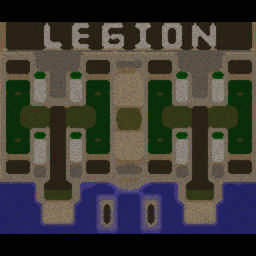
- 02:32 Продолжительность
-
West Legion
-
RichiK@WC3.Info
RichiK
WC3.InfoВышел по окончанию игры -
nagalove97@Iccup
nagalove97
IccupВышел по окончанию игры -
JiakomoProFast@Iccup
JiakomoProFast
IccupВышел по окончанию игры -
pin_king@Iccup
pin_king
IccupВышел по окончанию игры
-
RichiK@WC3.Info
-
East Legion
-
SikarAmaki@Iccup
SikarAmaki
IccupВышел по окончанию игры -
_IIuxapb_007@Iccup
_IIuxapb_007
IccupВышел по окончанию игры -
MERRYMED@Iccup
MERRYMED
IccupВышел по окончанию игры -
Def20@WC3.Info
Def20
WC3.InfoВышел по окончанию игры
-
SikarAmaki@Iccup
Чат в лобби
-
pro100mol !hcl 5
- 02:53
-
(life_arena) !mode
- 03:02
-
Boc... !mode
- 04:24
-
KD !sc
- 06:14
-
KD !sc
- 06:32
-
(life_arena) !sc
- 06:44
-
(life_arena) !mode
- 06:49
-
KD !mode
- 06:55
-
KD -2
- 07:06
-
KD nas 2
- 07:11
-
KD day holda
- 07:15
-
bf-T111 !sc
- 09:58
-
I7U3DA_ !next
- 10:02
-
bf-T111 !next
- 10:03
-
Rostlend !sw 3 4
- 10:09
-
Rostlend !hcl 5
- 10:13
-
Garry199MSK !next
- 10:58
-
Boc... !mode
- 11:23
-
Boc... oo
- 11:35
-
Boc... оо
- 11:37
-
Boc... какие
- 11:39
-
7kaaa !next
- 11:39
-
7kaaa кууу
- 11:40
-
Boc... люди
- 11:40
-
Boc... ку
- 11:41
-
Boc... !mode
- 13:14
-
Boc... !mode
- 13:16
-
Boc... !mode
- 13:43
-
MERRYMED !sc
- 17:42
-
MERRYMED !mode
- 17:48
-
Khurik !next
- 21:20
-
BogHblu) !mode
- 21:43
-
pin_king !mode
- 23:10
-
pin_king !stats richik
- 23:30
Чат в игре
-
RichiK -zoom 200
- 00:04
-
pin_king -zoom 150
- 00:05
-
MERRYMED -cls
- 00:06
-
SikarAmaki т5
- 00:36
-
SikarAmaki коня ставь
- 00:44
-
JiakomoProFast -zoom 180
- 01:07
-
nagalove97 -zoom 180
- 01:13
-
nagalove97 -zoom 230
- 01:20
-
SikarAmaki пиздец(
- 01:21
-
Def20 это пиздец
- 01:22
-
nagalove97 -zoom 200
- 01:26
-
Def20 !rmk
- 01:28
-
MERRYMED !rmk
- 01:35
-
Def20 у нас чел не понимает че происходит
- 01:38
-
Def20 го рмк плиз
- 01:43
-
SikarAmaki !rmk
- 01:46
-
RichiK !rmk
- 01:51
-
_IIuxapb_007 !rmk
- 01:58
-
Def20 !rmk
- 02:01
-
Def20 ну плиз парни
- 02:07
-
Def20 !rmk
- 02:11
-
JiakomoProFast !rmk
- 02:22
-
nagalove97 !rmk
- 02:28
-
MERRYMED !rmk
- 02:28
-
SikarAmaki у нас тут чел 3 маны поставил)
- 02:29