

Перейти к содержанию
View in the app

A better way to browse. Learn more.

WC3.Info

A full-screen app on your home screen with push notifications, badges and more.

To install this app on iOS and iPadOS
  1. Tap the Share icon in Safari
  2. Scroll the menu and tap Add to Home Screen.
  3. Tap Add in the top-right corner.
To install this app on Android
  1. Tap the 3-dot menu (⋮) in the top-right corner of the browser.
  2. Tap Add to Home screen or Install app.
  3. Confirm by tapping Install.

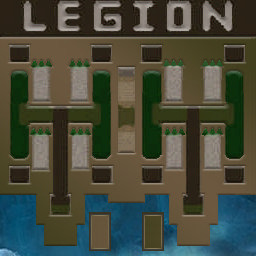
[OZ] LegionTD 4x4 x3 #927

  • Завершение
  • 04:02 Продолжительность
  1. West Legion

    1. Mider_LTD

      Iccup
      Вышел по окончанию игры
    2. vsehorosho8

      Iccup
      Вышел по окончанию игры
    3. Sparrow_2b

      Iccup
      потерял соединение (соединение закрыто удалённым хостом)
    4. forsa26

      Iccup
      Вышел по окончанию игры
  2. East Legion

    1. Oskar174

      WC3.Info
      вышел из игры ДОБРОВОЛЬНО
    2. VeronaAgeres

      Iccup
      вышел из игры ДОБРОВОЛЬНО
    3. _VEZA_

      Iccup
      вышел из игры ДОБРОВОЛЬНО
    4. Shabagan1989

      Iccup
      Вышел по окончанию игры

Чат в лобби

    • 02:16
    • 03:23
  1. noneedwords. !mode
    • 03:24
  2. Oskar174 !autostart
    • 03:24
  3. noneedwords. !mode
    • 03:52
  4. Oskar174 !start
    • 04:03
  5. Oskar174 !start
    • 04:27
    • 04:31
    • 04:31
    • 04:32
  6. Oskar174 !hcl 1
    • 04:42
  7. Oskar174 !start
    • 04:56

Чат в игре

  1. _VEZA_ -zoom 230
    • 00:00
  2. Mider_LTD -п
    • 00:06
  3. _VEZA_ дашь мид?
    • 00:12
  4. Mider_LTD даш мид бро
    • 00:16
  5. VeronaAgeres -zoom 160
    • 00:35
  6. _VEZA_ ближе строй кросс приду
    • 00:51
  7. _VEZA_ го 1
    • 01:14
  8. Oskar174 -zoom 145
    • 01:36
  9. VeronaAgeres мы если кидаем, то пиши
    • 02:08
  10. Mider_LTD go kopim 7?
    • 02:23
  11. Oskar174 там мид
    • 02:28
  12. Mider_LTD dai
    • 03:02
  13. Mider_LTD uberi eto
    • 03:06
  14. Mider_LTD uberi pauka
    • 03:08
  15. Mider_LTD bro
    • 03:08
  16. vsehorosho8 не хватит на ап
    • 03:08
  17. Mider_LTD up t1 1 raz
    • 03:08
  18. Oskar174 !ban spa шнур
    • 03:10
  19. Mider_LTD togda prosto t1
    • 03:11
  20. Mider_LTD potom uonew
    • 03:15
  21. Mider_LTD sps
    • 03:18
    • 03:24
  22. forsa26 !rmk
    • 03:30
  23. Mider_LTD !rmk
    • 03:33
    • 03:38
  24. Oskar174 !rmk
    • 03:45
  25. VeronaAgeres !рмк
    • 03:53
    • 03:56

Account

Navigation

Поиск

Поиск

Configure browser push notifications

Chrome (Android)
  1. Tap the lock icon next to the address bar.
  2. Tap Permissions → Notifications.
  3. Adjust your preference.
Chrome (Desktop)
  1. Click the padlock icon in the address bar.
  2. Select Site settings.
  3. Find Notifications and adjust your preference.