

Перейти к содержанию
View in the app

A better way to browse. Learn more.

WC3.Info

A full-screen app on your home screen with push notifications, badges and more.

To install this app on iOS and iPadOS
  1. Tap the Share icon in Safari
  2. Scroll the menu and tap Add to Home Screen.
  3. Tap Add in the top-right corner.
To install this app on Android
  1. Tap the 3-dot menu (⋮) in the top-right corner of the browser.
  2. Tap Add to Home screen or Install app.
  3. Confirm by tapping Install.

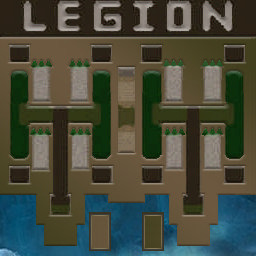
[OZ] LegionTD 4x4 x3 #526

  • Завершение
  • 36:10 Продолжительность
  1. West Legion

    1. o44.SteFun.A20

      Iccup

      +13.00

      968 > 981
      потерял соединение (ошибка соединения)
    2. sandk1ng

      Iccup

      +9.00

      1072 > 1081
      вышел из игры ДОБРОВОЛЬНО
    3. Dazorman

      Iccup

      +11.00

      1014 > 1025
      вышел из игры ДОБРОВОЛЬНО
    4. AZIZ_THE_DEVIL

      Iccup

      +18.00

      851 > 869
      вышел из игры ДОБРОВОЛЬНО
  2. East Legion

    1. freakEee21

      Iccup

      -11.00

      941 > 930
      вышел из игры ДОБРОВОЛЬНО
    2. InSTiNcT13

      IrinaBot

      -12.00

      966 > 954
      вышел из игры ДОБРОВОЛЬНО
    3. big_box09

      Iccup

      -12.00

      972 > 960
      вышел из игры ДОБРОВОЛЬНО
    4. Anaxios

      WC3.Info

      -15.00

      1036 > 1021
      wc3game_games_view_leftreason_LaggedOutDroppedByVote

Чат в лобби

  1. max_worr !mode
    • 01:34
  2. hiddenlife27 !mode
    • 01:51
    • 01:52
  3. Stone !next
    • 02:08

Чат в игре

  1. AZIZ_THE_DEVIL -zoom 185
    • 00:00
  2. o44.SteFun.A20 8 может?
    • 10:16
    • 10:22
  3. AZIZ_THE_DEVIL нафиг вам рмк
    • 13:40
  4. AZIZ_THE_DEVIL все равно не кикаете
    • 13:40
  5. big_box09 rmk
    • 13:40
  6. freakEee21 !RMK
    • 14:10
  7. big_box09 !rmk
    • 14:22
  8. sandk1ng posle 10 kross
    • 17:02
  9. sandk1ng idite
    • 17:04
  10. sandk1ng temnata
    • 18:44
  11. InSTiNcT13 жёлтый приходи в кросс
    • 19:06
  12. sandk1ng idem
    • 24:58
  13. sandk1ng zakon4im
    • 25:01
  14. o44.SteFun.A20 может сейчас лучше?
    • 31:06
  15. InSTiNcT13 жёлтый
    • 31:54
  16. InSTiNcT13 хули не пришел
    • 32:00
  17. big_box09 ggwp
    • 34:47
    • 34:48

Account

Navigation

Поиск

Поиск

Configure browser push notifications

Chrome (Android)
  1. Tap the lock icon next to the address bar.
  2. Tap Permissions → Notifications.
  3. Adjust your preference.
Chrome (Desktop)
  1. Click the padlock icon in the address bar.
  2. Select Site settings.
  3. Find Notifications and adjust your preference.