

Перейти к содержанию
View in the app

A better way to browse. Learn more.

WC3.Info

A full-screen app on your home screen with push notifications, badges and more.

To install this app on iOS and iPadOS
  1. Tap the Share icon in Safari
  2. Scroll the menu and tap Add to Home Screen.
  3. Tap Add in the top-right corner.
To install this app on Android
  1. Tap the 3-dot menu (⋮) in the top-right corner of the browser.
  2. Tap Add to Home screen or Install app.
  3. Confirm by tapping Install.

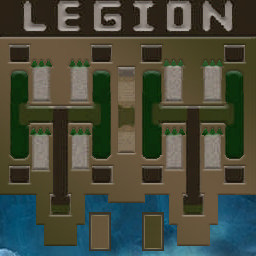
[OZ] LegionTD 4x4 x3 #2231

  • Завершение
  • 47:43 Продолжительность
  1. West Legion

    1. OMON1989

      Iccup

      -7.00

      941 > 934
      вышел из игры ДОБРОВОЛЬНО
    2. sp-clinkz

      Iccup

      -12.00

      1066 > 1054
      вышел из игры ДОБРОВОЛЬНО
    3. den163rus

      Iccup

      -7.00

      936 > 929
      вышел из игры ДОБРОВОЛЬНО
    4. Proba22

      Iccup

      -8.00

      969 > 961
      вышел из игры ДОБРОВОЛЬНО
  2. East Legion

    1. webmagnat

      WC3.Info

      +4.00

      1234 > 1238
      вышел из игры ДОБРОВОЛЬНО
    2. OQ

      Iccup

      +16.00

      908 > 924
      потерял соединение (ошибка соединения)
    3. kramolnik

      WC3.Info

      +8.00

      1093 > 1101
      вышел из игры ДОБРОВОЛЬНО
    4. qwertyps

      Iccup

      +7.00

      1117 > 1124
      вышел из игры ДОБРОВОЛЬНО

Чат в лобби

  1. kramolnik !mode
    • 01:06
  2. Daimond !next
    • 01:07
  3. OQ !mode
    • 01:14

Чат в игре

  1. OMON1989 -zoom 200
    • 00:05
  2. webmagnat -zoom 188
    • 00:05
  3. Proba22 go mid
    • 00:26
  4. qwertyps постакайте плз
    • 00:39
  5. qwertyps спс
    • 02:01
  6. OQ мб тусиками ко мне после 10?
    • 02:22
  7. qwertyps ты на себя посмотри
    • 03:12
  8. qwertyps куда строишься)
    • 03:17
  9. OQ ты мне?
    • 03:25
  10. sp-clinkz кидай ден
    • 04:08
  11. OQ бля
    • 04:31
  12. OQ не успел
    • 04:33
  13. webmagnat go 8
    • 07:30
  14. sp-clinkz ламби
    • 07:49
  15. sp-clinkz висп
    • 07:50
  16. qwertyps я к тебе
    • 08:28
  17. kramolnik кк
    • 08:31
  18. qwertyps доешь моих
    • 09:00
  19. sp-clinkz ауру
    • 10:53
  20. qwertyps 9 может вивы
    • 14:18
  21. sp-clinkz нахуя
    • 17:13
  22. sp-clinkz сука
    • 17:13
  23. sp-clinkz на 10
    • 17:15
  24. sp-clinkz кинут
    • 17:17
  25. sp-clinkz хз
    • 17:32
  26. sp-clinkz с вас
    • 17:33
  27. sp-clinkz хз
    • 18:07
  28. sp-clinkz место ап
    • 18:11
  29. sp-clinkz кидаем
    • 18:13
  30. webmagnat 7-7 vse
    • 18:27
  31. sp-clinkz ламби
    • 20:39
  32. sp-clinkz уже
    • 20:40
  33. sp-clinkz 14,,?
    • 21:56
  34. webmagnat po 3 vivi
    • 23:09
  35. webmagnat ostalnoe kati 340
    • 23:13
  36. kramolnik профтыкал)
    • 26:07
  37. sp-clinkz да
    • 26:19
  38. sp-clinkz деф
    • 26:21
  39. sp-clinkz же
    • 26:21
  40. sp-clinkz зачем
    • 26:23
  41. webmagnat !ban OQ liv
    • 27:46
  42. sp-clinkz ламб
    • 28:15
  43. webmagnat full hp
    • 28:42
  44. webmagnat i vse
    • 28:44
  45. webmagnat ataku po 3 raza
    • 29:09
  46. webmagnat i 20
    • 29:19
  47. sp-clinkz рлдни
    • 30:18
  48. sp-clinkz уже
    • 30:18
  49. sp-clinkz хватит
    • 30:20
  50. sp-clinkz хуйню ставит
    • 30:24
  51. sp-clinkz друг
    • 30:28
  52. sp-clinkz т5
    • 30:35
  53. sp-clinkz т6
    • 30:36
  54. sp-clinkz во
    • 30:37
  55. webmagnat 7-10 vse go
    • 31:07
  56. qwertyps бан ему то зачем
    • 31:57
  57. qwertyps еррор
    • 32:00
  58. webmagnat on livnul
    • 32:09
  59. sp-clinkz т6
    • 33:44
  60. sp-clinkz 4 хила
    • 33:52
  61. webmagnat 7-15
    • 38:19
  62. sp-clinkz ламб
    • 40:28
  63. webmagnat lick sdelaete?
    • 42:38
  64. kramolnik ну не стакаем да и всё)
    • 43:02
  65. webmagnat dva demona
    • 43:33
  66. qwertyps они после 20 кросс пошл
    • 47:00
  67. qwertyps хорошо что мы в кроссе
    • 47:24

Account

Navigation

Поиск

Поиск

Configure browser push notifications

Chrome (Android)
  1. Tap the lock icon next to the address bar.
  2. Tap Permissions → Notifications.
  3. Adjust your preference.
Chrome (Desktop)
  1. Click the padlock icon in the address bar.
  2. Select Site settings.
  3. Find Notifications and adjust your preference.