

Перейти к содержанию
View in the app

A better way to browse. Learn more.

WC3.Info

A full-screen app on your home screen with push notifications, badges and more.

To install this app on iOS and iPadOS
  1. Tap the Share icon in Safari
  2. Scroll the menu and tap Add to Home Screen.
  3. Tap Add in the top-right corner.
To install this app on Android
  1. Tap the 3-dot menu (⋮) in the top-right corner of the browser.
  2. Tap Add to Home screen or Install app.
  3. Confirm by tapping Install.

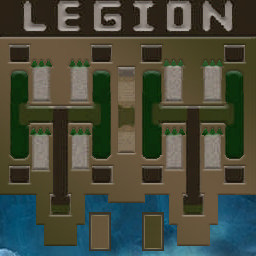
[OZ] LegionTD 4x4 x3 #2113

  • Завершение
  • 26:16 Продолжительность
  1. West Legion

    1. botkakPRO

      Iccup

      +13.00

      930 > 943
      вышел из игры ДОБРОВОЛЬНО
    2. xxzero42rusxx

      Iccup

      +8.00

      1055 > 1063
      вышел из игры ДОБРОВОЛЬНО
    3. onion05

      Iccup

      +13.00

      918 > 931
      потерял соединение (ошибка соединения)
    4. tungronoro1

      Iccup

      +10.00

      988 > 998
      вышел из игры ДОБРОВОЛЬНО
  2. East Legion

    1. STELLA111

      Iccup

      -9.00

      882 > 873
      вышел из игры ДОБРОВОЛЬНО
    2. Lexnad

      Iccup

      -10.00

      918 > 908
      вышел из игры ДОБРОВОЛЬНО
    3. Fafafafyfyfy

      Iccup

      -12.00

      960 > 948
      вышел из игры ДОБРОВОЛЬНО
    4. ayaalbek13

      Iccup

      -12.00

      953 > 941
      вышел из игры ДОБРОВОЛЬНО

Чат в лобби

    • 09:21

Чат в игре

  1. onion05 -zoom 200
    • 00:02
  2. botkakPRO дай мид бро
    • 00:05
  3. Lexnad -zoom 170
    • 00:05
  4. botkakPRO дай мид бро
    • 00:31
  5. Fafafafyfyfy -zoom 166
    • 01:03
  6. Lexnad !sc
    • 01:15
  7. STELLA111 зеленый ты ламбить то собираешься
    • 03:16
  8. Lexnad 200
    • 04:04
  9. Lexnad -ds
    • 04:49
  10. tungronoro1 dit me nha may
    • 05:29
  11. STELLA111 твой бы сдох
    • 15:54
  12. Lexnad .!.
    • 15:59
  13. botkakPRO они кинкли ппц
    • 17:57
  14. botkakPRO кинули
    • 18:02
  15. botkakPRO 14 го
    • 18:07
  16. onion05 13?
    • 18:12
  17. Lexnad king
    • 24:41
  18. STELLA111 апай роза
    • 24:50

Account

Navigation

Поиск

Поиск

Configure browser push notifications

Chrome (Android)
  1. Tap the lock icon next to the address bar.
  2. Tap Permissions → Notifications.
  3. Adjust your preference.
Chrome (Desktop)
  1. Click the padlock icon in the address bar.
  2. Select Site settings.
  3. Find Notifications and adjust your preference.