

Перейти к содержанию
View in the app

A better way to browse. Learn more.

WC3.Info

A full-screen app on your home screen with push notifications, badges and more.

To install this app on iOS and iPadOS
  1. Tap the Share icon in Safari
  2. Scroll the menu and tap Add to Home Screen.
  3. Tap Add in the top-right corner.
To install this app on Android
  1. Tap the 3-dot menu (⋮) in the top-right corner of the browser.
  2. Tap Add to Home screen or Install app.
  3. Confirm by tapping Install.

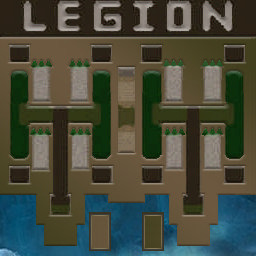
[OZ] LegionTD 4x4 x3 #104

  • Завершение
  • 03:05 Продолжительность
  1. West Legion

    1. SergoAndSergo

      Iccup
      потерял соединение (соединение закрыто удалённым хостом)
    2. abuzerptsov

      Iccup
      Вышел по окончанию игры
    3. Maks][Vorkuta

      Iccup
      Вышел по окончанию игры
    4. Wolf03

      Iccup
      Вышел по окончанию игры
  2. East Legion

    1. Legion420

      Iccup
      вышел из игры ДОБРОВОЛЬНО
    2. gem6ejlb

      WC3.Info
      Вышел по окончанию игры
    3. eN_oT

      WC3.Info
      wc3game_games_view_leftreason_KickedByVote
    4. BFI

      WC3.Info
      Вышел по окончанию игры

Чат в лобби

  1. gem6ejlb !mode
    • 00:26
  2. Legion420 !sc
    • 00:32
  3. Legion420 !mode
    • 00:50

Чат в игре

  1. Legion420 -zoom 150
    • 00:05
  2. Maks][Vorkuta -zoom 175
    • 00:24
  3. BFI cross maybe
    • 00:26
  4. SergoAndSergo го первый поробуем
    • 00:28
  5. SergoAndSergo скорее всего там мид
    • 00:34
  6. gem6ejlb нет блять
    • 01:18
  7. gem6ejlb не надо первый
    • 01:21
  8. abuzerptsov -ping
    • 01:24
  9. gem6ejlb идиоты сука
    • 01:27
  10. Legion420 !votekick eN
    • 02:53
  11. BFI shit :(
    • 02:53
  12. Legion420 ne me uchi
    • 02:53
  13. Legion420 ne me uchi
    • 02:53
  14. Legion420 idiot
    • 02:53
  15. Legion420 english
    • 02:53
  16. Legion420 ne uchi
    • 02:53
  17. BFI !draw
    • 02:53
  18. Legion420 !rmk
    • 02:53
  19. BFI !yes
    • 02:53
  20. gem6ejlb !yes
    • 02:53
  21. gem6ejlb !rmk
    • 02:53
  22. Legion420 mursho
    • 02:53
  23. gem6ejlb хахаахахаах
    • 02:53
  24. gem6ejlb dalboeb
    • 02:53
  25. gem6ejlb дрова
    • 02:53
  26. gem6ejlb хуйнёй не майся
    • 02:53
    • 02:53
  27. gem6ejlb пили
    • 02:53
    • 02:53
    • 02:54
  28. Legion420 !rmk
    • 02:59
  29. Wolf03 !кьл
    • 03:00
    • 03:00
  30. Wolf03 !rmk
    • 03:01
  31. BFI !draw
    • 03:04

Account

Navigation

Поиск

Поиск

Configure browser push notifications

Chrome (Android)
  1. Tap the lock icon next to the address bar.
  2. Tap Permissions → Notifications.
  3. Adjust your preference.
Chrome (Desktop)
  1. Click the padlock icon in the address bar.
  2. Select Site settings.
  3. Find Notifications and adjust your preference.