

Перейти к содержанию
View in the app

A better way to browse. Learn more.

WC3.Info

A full-screen app on your home screen with push notifications, badges and more.

To install this app on iOS and iPadOS
  1. Tap the Share icon in Safari
  2. Scroll the menu and tap Add to Home Screen.
  3. Tap Add in the top-right corner.
To install this app on Android
  1. Tap the 3-dot menu (⋮) in the top-right corner of the browser.
  2. Tap Add to Home screen or Install app.
  3. Confirm by tapping Install.

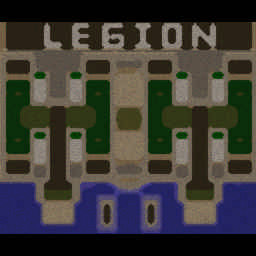
[OZ] LTD-X20 4.5x20 OZ #159

  • Завершение
  • 09:46 Продолжительность
  1. West Legion

    1. sanuga1

      Iccup

      +12.00

      1068 > 1080
      вышел из игры ДОБРОВОЛЬНО
    2. ZHEKA1900

      WC3.Info

      +12.00

      1053 > 1065
      вышел из игры ДОБРОВОЛЬНО
    3. ZHEKA1901

      WC3.Info

      +14.00

      1024 > 1038
      вышел из игры ДОБРОВОЛЬНО
    4. Q.800

      Iccup

      +13.00

      1038 > 1051
      вышел из игры ДОБРОВОЛЬНО
  2. East Legion

    1. MaxCyber

      Iccup

      -14.00

      1080 > 1066
      вышел из игры ДОБРОВОЛЬНО
    2. Abduraxmanjaan

      Iccup

      -13.00

      1046 > 1033
      вышел из игры ДОБРОВОЛЬНО
    3. srbnvasile

      Iccup

      -13.00

      1051 > 1038
      вышел из игры ДОБРОВОЛЬНО
    4. toporel

      Iccup

      -11.00

      1019 > 1008
      вышел из игры ДОБРОВОЛЬНО

Чат в лобби

  1. toporel !sc
    • 00:18
  2. Abduraxmanjaan !stats maxcyber
    • 00:34
  3. toporel !mode
    • 00:43
    • 00:47

Чат в игре

  1. ZHEKA1900 -zoom 200
    • 00:01
  2. toporel -zoom 190
    • 00:01
  3. Q.800 -zoom 130
    • 00:01
  4. ZHEKA1901 -zoom 220
    • 00:07
  5. sanuga1 НУ ЧЕ ГО ЕБНЕМ 3 ПОТОМ 8
    • 01:11
  6. ZHEKA1900 ruli
    • 01:27
  7. sanuga1 Го 3 потом 8
    • 01:42
  8. toporel stak p,s
    • 02:08
  9. toporel ska
    • 02:23
  10. ZHEKA1900 sps
    • 02:27
  11. Abduraxmanjaan -zoom 200
    • 02:28
  12. sanuga1 КАСАРЬ ЕПТ
    • 02:37
  13. sanuga1 ЕБАТЬ ПИК НАДО ВСЕ ДЕНЕГ НЕТ(
    • 02:50
  14. ZHEKA1900 yzhe naga
    • 02:52
  15. sanuga1 ЧЕ ТАМ БЫЛО Я ПРОЕБАЛ
    • 03:28
  16. sanuga1 3 ЗАХОДИТ?
    • 03:32
  17. ZHEKA1900 go pox
    • 03:55
  18. toporel Da nu nah
    • 04:25
  19. ZHEKA1900 zaebali
    • 04:31
  20. srbnvasile !rmk
    • 04:44
  21. MaxCyber srb my stackom igraem
    • 04:47
  22. sanuga1 НИХУЯ ДАВАЙТЕ ВЫИГРЫВАТЬ ТЕПЕРЬ!
    • 05:05
  23. ZHEKA1900 stak otkroi
    • 07:06
  24. MaxCyber -zoom 50
    • 07:12
  25. sanuga1 Там все
    • 07:18
  26. sanuga1 Под чампа норм зашло
    • 07:24
  27. Abduraxmanjaan arche4r
    • 07:37
  28. ZHEKA1901 ))))))))))))))))))))))))))))
    • 09:08

Account

Navigation

Поиск

Поиск

Configure browser push notifications

Chrome (Android)
  1. Tap the lock icon next to the address bar.
  2. Tap Permissions → Notifications.
  3. Adjust your preference.
Chrome (Desktop)
  1. Click the padlock icon in the address bar.
  2. Select Site settings.
  3. Find Notifications and adjust your preference.