

- Завершение
-
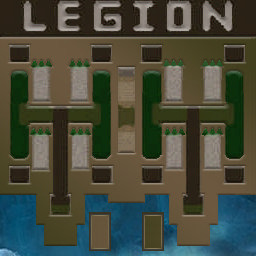
- 07:52 Продолжительность
-
West Legion
-
Kak-MoGy@Iccup
Kak-MoGy
IccupВышел по окончанию игры -
KAKTYS@WC3.Info
KAKTYS
WC3.Infoвышел из игры ДОБРОВОЛЬНО -
tlteshnik163@Iccup
tlteshnik163
Iccupвышел из игры ДОБРОВОЛЬНО -
karl.creature@Iccup
karl.creature
Iccupвышел из игры ДОБРОВОЛЬНО
-
Kak-MoGy@Iccup
-
East Legion
-
ktwox@Iccup
ktwox
IccupВышел по окончанию игры -
Bombero5432@Iccup
Bombero5432
Iccupвышел из игры ДОБРОВОЛЬНО -
Shnurilkin420@WC3.Info
Shnurilkin420
WC3.InfoВышел по окончанию игры -
Roronoa.zZzoRo@Iccup
Roronoa.zZzoRo
IccupВышел по окончанию игры
-
ktwox@Iccup
Чат в лобби
-
Bombero5432 !mode
- 00:34
-
Pro_GameR-_-xD !ЫС
- 01:39
-
Pro_GameR-_-xD !SC
- 01:42
-
Pro_GameR-_-xD !sc
- 01:45
-
Pro_GameR-_-xD !mode
- 02:01
-
Roronoa.zZzoRo !mode
- 02:05
-
Shnurilkin420 !mode
- 02:07
-
Nookeng !next
- 02:32
-
Pro_GameR-_-xD !sc
- 02:52
-
Daimond !next
- 02:59
-
Pro_GameR-_-xD !mode
- 03:03
-
KAKTYS !mode
- 03:20
-
KAKTYS !hcl 2
- 03:23
-
KAKTYS !sp
- 03:27
-
KAKTYS !a
- 03:29
-
KAKTYS !sp
- 03:30
-
KAKTYS !sp
- 03:32
-
KAKTYS !sp
- 03:33
-
KAKTYS !start
- 03:36
-
KAKTYS !sc
- 03:43
-
- 04:04
-
Oosuras !mode
- 04:04
-
- 04:14
-
- 04:15
-
- 04:15
-
- 04:15
-
- 04:15
-
- 04:15
-
- 04:16
-
Roronoa.zZzoRo гог
- 04:16
-
- 04:16
-
Roronoa.zZzoRo гого
- 04:16
-
KAKTYS !start
- 04:17
-
KAKTYS !start
- 04:22
Чат в игре
-
- 00:00
-
Roronoa.zZzoRo -zoom 200
- 00:05
-
Bombero5432 -zoom 188
- 00:27
-
karl.creature БЛЯТЬ
- 01:35
-
karl.creature СУКА
- 01:38
-
karl.creature НЕПОСМОТРЕЛ КАКОЙ МОД
- 01:44
-
Bombero5432 g4?
- 02:04
-
KAKTYS че 7 ?
- 04:17
-
tlteshnik163 че они не кинули
- 05:36
-
Bombero5432 nax orn na 4?
- 05:38
-
KAKTYS 5 хотят
- 05:41
-
KAKTYS или 6
- 05:43
-
Shnurilkin420 miss
- 05:57
-
Roronoa.zZzoRo норм канает
- 06:02
-
Roronoa.zZzoRo на 4
- 06:03
-
Bombero5432 serioznp?
- 06:09
-
Bombero5432 ne znal
- 06:15
-
KAKTYS ламб
- 06:21
-
KAKTYS 7 г
- 06:48
-
KAKTYS бан
- 07:02
-
tlteshnik163 хуеплет
- 07:03
-
tlteshnik163 дай ти бан ему
- 07:06
-
Bombero5432 ban ne jibe
- 07:13
-
tlteshnik163 !rmk
- 07:14
-
KAKTYS !rmk
- 07:17
-
Kak-MoGy !rmk
- 07:23
-
ktwox !rmk
- 07:40
-
Shnurilkin420 !rmk
- 07:46
-
Bombero5432 !rmk
- 07:46