

Перейти к содержанию
View in the app

A better way to browse. Learn more.

WC3.Info

A full-screen app on your home screen with push notifications, badges and more.

To install this app on iOS and iPadOS
  1. Tap the Share icon in Safari
  2. Scroll the menu and tap Add to Home Screen.
  3. Tap Add in the top-right corner.
To install this app on Android
  1. Tap the 3-dot menu (⋮) in the top-right corner of the browser.
  2. Tap Add to Home screen or Install app.
  3. Confirm by tapping Install.

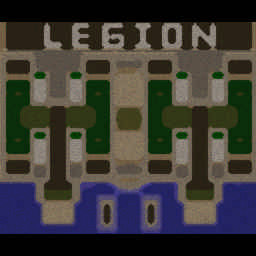
[OZ] LTD-X20 4.5x20 OZ #27

  • Завершение
  • 07:09 Продолжительность
  1. West Legion

    1. roma9091739

      Iccup

      -7.00

      856 > 849
      вышел из игры ДОБРОВОЛЬНО
    2. gassuntaraska

      Iccup

      -10.00

      947 > 937
      вышел из игры ДОБРОВОЛЬНО
    3. DiabloRoRRo

      Iccup

      -10.00

      952 > 942
      потерял соединение (ошибка соединения)
    4. GAD___666

      Iccup

      -12.00

      993 > 981
      вышел из игры ДОБРОВОЛЬНО
  2. East Legion

    1. MaRCo-24

      Iccup

      +8.00

      1049 > 1057
      вышел из игры ДОБРОВОЛЬНО
    2. ___SKY.net___-

      Iccup

      +9.00

      1025 > 1034
      вышел из игры ДОБРОВОЛЬНО
    3. Bigfut_92

      Iccup

      +11.00

      984 > 995
      вышел из игры ДОБРОВОЛЬНО
    4. Epeke

      Iccup

      +12.00

      964 > 976
      вышел из игры ДОБРОВОЛЬНО

Чат в лобби

Чат в игре

  1. gassuntaraska -zoom 200
    • 00:01
  2. GAD___666 -zoom 179
    • 00:05
  3. ___SKY.net___- -zoom 160
    • 00:37
  4. Bigfut_92 -zoom 200
    • 01:02
  5. Bigfut_92 cтак
    • 01:41
  6. Bigfut_92 плиз
    • 01:43
    • 02:17
  7. Bigfut_92 го
    • 03:55
  8. gassuntaraska збс
    • 05:52
    • 06:08
    • 06:17
    • 06:26
  9. GAD___666 -ff
    • 06:28
    • 06:33
  10. gassuntaraska берите кинга
    • 06:35

Account

Navigation

Поиск

Поиск

Configure browser push notifications

Chrome (Android)
  1. Tap the lock icon next to the address bar.
  2. Tap Permissions → Notifications.
  3. Adjust your preference.
Chrome (Desktop)
  1. Click the padlock icon in the address bar.
  2. Select Site settings.
  3. Find Notifications and adjust your preference.