

Перейти к содержанию
View in the app

A better way to browse. Learn more.

WC3.Info

A full-screen app on your home screen with push notifications, badges and more.

To install this app on iOS and iPadOS
  1. Tap the Share icon in Safari
  2. Scroll the menu and tap Add to Home Screen.
  3. Tap Add in the top-right corner.
To install this app on Android
  1. Tap the 3-dot menu (⋮) in the top-right corner of the browser.
  2. Tap Add to Home screen or Install app.
  3. Confirm by tapping Install.

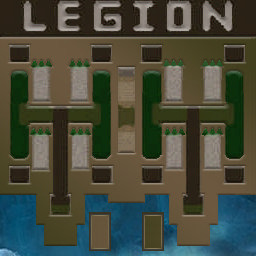
[OZ] LegionTD 4x4 x3 #5265

  • Завершение
  • 02:17 Продолжительность
  1. West Legion

    1. goat_ctiv123

      Iccup
      Вышел по окончанию игры
    2. Pyc3JI

      Iccup
      Вышел по окончанию игры
    3. PMRuleZz

      Iccup
      вышел из игры ДОБРОВОЛЬНО
    4. NSQL

      WC3.Info
      вышел из игры ДОБРОВОЛЬНО
  2. East Legion

    1. ZorG_UU337001

      Iccup
      Вышел по окончанию игры
    2. AlexUnder

      WC3.Info
      Вышел по окончанию игры
    3. .4DIK

      Iccup
      Вышел по окончанию игры
    4. Kak-MoGy

      Iccup
      вышел из игры ДОБРОВОЛЬНО

Чат в лобби

  1. AlexUnder kak mog
    • 00:57
  2. AlexUnder vniz pls
    • 01:01
  3. AlexUnder sps
    • 01:08
  4. AlexUnder zorg qq
    • 01:14
    • 01:17
  5. NSQL !sc
    • 01:24
  6. Daimond !next
    • 01:40
  7. Pyc3JI как мог в низ пдз. нытик блять
    • 01:59
  8. NSQL !mode
    • 02:00
  9. .4DIK !sc
    • 02:43
  10. .4DIK !mode
    • 03:03

Чат в игре

  1. Pyc3JI -zoom 185
    • 00:00
  2. AlexUnder -zoom 180
    • 00:01
  3. ZorG_UU337001 -zoom 150
    • 00:06
  4. AlexUnder снова тебе арчи)))
    • 00:39
  5. NSQL т1
    • 00:40
  6. NSQL строй
    • 00:41
  7. NSQL ккко йт2
    • 00:46
  8. Pyc3JI фиол если норм то подсказывай
    • 01:24
  9. AlexUnder интересно
    • 01:25
  10. Pyc3JI я нуб тоже
    • 01:35
  11. NSQL ему стакаем
    • 01:38
  12. NSQL т3 строй ты
    • 01:46
  13. Pyc3JI ок\
    • 01:52
  14. Pyc3JI спс
    • 01:55
    • 02:00
  15. NSQL !rmk
    • 02:00
  16. AlexUnder !rmk
    • 02:03
  17. .4DIK !rmk
    • 02:05
    • 02:10
  18. Pyc3JI !rmk
    • 02:11
  19. AlexUnder 4ae6aJIu
    • 02:12
  20. Kak-MoGy !rmk
    • 02:15

Account

Navigation

Поиск

Поиск

Configure browser push notifications

Chrome (Android)
  1. Tap the lock icon next to the address bar.
  2. Tap Permissions → Notifications.
  3. Adjust your preference.
Chrome (Desktop)
  1. Click the padlock icon in the address bar.
  2. Select Site settings.
  3. Find Notifications and adjust your preference.