

- Завершение
-
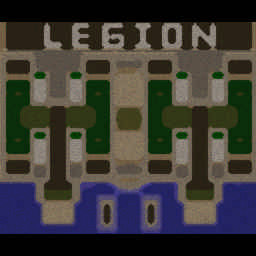
- 02:02 Продолжительность
-
West Legion
-
eby_1_rukoy@Iccup
eby_1_rukoy
IccupВышел по окончанию игры -
Diman_BLR_1@Iccup
Diman_BLR_1
IccupВышел по окончанию игры -
Q.800@Iccup
Q.800
IccupВышел по окончанию игры -
kakinpisin@Iccup
kakinpisin
IccupВышел по окончанию игры
-
eby_1_rukoy@Iccup
-
East Legion
-
GameOver_078@Iccup
GameOver_078
Iccupвышел из игры ДОБРОВОЛЬНО -
seeenseeey@Iccup
seeenseeey
Iccupвышел из игры ДОБРОВОЛЬНО -
Ginreo@WC3.Info
Ginreo
WC3.InfoВышел по окончанию игры -
aroqni_qara@Iccup
aroqni_qara
IccupВышел по окончанию игры
-
GameOver_078@Iccup
Чат в лобби
-
MaPaToHHa !stats
- 00:31
-
MaPaToHHa !stats
- 00:38
-
Lts_1 )
- 01:07
-
unreal_ !sc
- 01:18
-
unreal_ !mode
- 01:20
-
(mapuxyaHa) !mode
- 01:22
-
unreal_ !next
- 01:29
-
- 01:36
-
GameOver_078 sudya pidaraz
- 01:36
-
kakinpisin !sc
- 02:02
-
GameOver_078 sudya
- 02:04
-
GameOver_078 gandun
- 02:06
-
- 02:08
-
GameOver_078 oxti
- 02:41
-
GameOver_078 papal
- 02:44
-
GameOver_078 mnye
- 02:47
-
seeenseeey !mode
- 02:50
-
- 02:53
-
GameOver_078 nma
- 02:54
-
aroqni_qara !mode
- 02:56
-
GameOver_078 blat
- 02:59
-
aroqni_qara ;;;;;;;;;;;;;;;;;;;;
- 03:03
-
GameOver_078 aroq icamiz
- 03:10
-
GameOver_078 davay
- 03:12
-
- 03:13
-
GameOver_078 bormi aroq
- 03:17
-
GameOver_078 aroq sotasanmi )
- 03:24
-
GameOver_078 xaxa
- 03:27
-
Q.800 go aroq
- 03:30
Чат в игре
-
Q.800 -zoom 130
- 00:01
-
GameOver_078 -clear
- 00:03
-
aroqni_qara -cls
- 00:05
-
GameOver_078 -clear
- 00:05
-
aroqni_qara -zoom 230
- 00:07
-
Diman_BLR_1 -п
- 00:09
-
Ginreo -zoom 130
- 00:51
-
aroqni_qara nima
- 00:59
-
aroqni_qara bu
- 01:00
-
aroqni_qara brat
- 01:04
-
aroqni_qara yana
- 01:05
-
aroqni_qara sizmi
- 01:06
-
GameOver_078 -cear
- 01:10
-
aroqni_qara bln
- 01:12
-
aroqni_qara -cls
- 01:13
-
seeenseeey !stats gam
- 01:15
-
aroqni_qara !rmk
- 01:22
-
aroqni_qara RMK
- 01:24
-
aroqni_qara 1 lever
- 01:27
-
seeenseeey !rmk
- 01:27
-
Ginreo !rmk
- 01:30
-
aroqni_qara !RMK
- 01:40
-
kakinpisin ДА ИДИТЕ НАХУЙ
- 01:42
-
seeenseeey !rmk
- 01:43
-
Diman_BLR_1 !rmk
- 01:46
-
kakinpisin 6 раз подряд
- 01:47
-
kakinpisin !rmk
- 01:53
-
aroqni_qara rmk
- 01:56
-
eby_1_rukoy !rmk
- 01:57
-
aroqni_qara !rmk
- 01:58