

Перейти к содержанию
View in the app

A better way to browse. Learn more.

WC3.Info

A full-screen app on your home screen with push notifications, badges and more.

To install this app on iOS and iPadOS
  1. Tap the Share icon in Safari
  2. Scroll the menu and tap Add to Home Screen.
  3. Tap Add in the top-right corner.
To install this app on Android
  1. Tap the 3-dot menu (⋮) in the top-right corner of the browser.
  2. Tap Add to Home screen or Install app.
  3. Confirm by tapping Install.

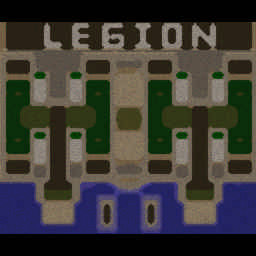
[OZ] LTD-X20 4.5x20 OZ #3343

  • Завершение
  • 34:28 Продолжительность
  1. West Legion

    1. BrainUser

      WC3.Info

      -11.00

      956 > 945
      вышел из игры ДОБРОВОЛЬНО
    2. _GoodZone_63

      WC3.Info

      -13.00

      993 > 980
      вышел из игры ДОБРОВОЛЬНО
    3. Aka-de-ukaM

      Iccup

      -12.00

      985 > 973
      вышел из игры ДОБРОВОЛЬНО
    4. Fed_up

      Iccup

      -15.00

      1057 > 1042
      вышел из игры ДОБРОВОЛЬНО
  2. East Legion

    1. witrus...

      Iccup

      +17.00

      884 > 901
      вышел из игры ДОБРОВОЛЬНО
    2. Qlicli

      Iccup

      +12.00

      1010 > 1022
      вышел из игры ДОБРОВОЛЬНО
    3. Varbarad

      Iccup

      +12.00

      1004 > 1016
      вышел из игры ДОБРОВОЛЬНО
    4. tirann4ik

      Iccup

      +10.00

      1067 > 1077
      вышел из игры ДОБРОВОЛЬНО

Чат в лобби

  1. famadul !sc
    • 00:17
  2. famadul !p
    • 00:28
  3. famadul !p
    • 00:31
  4. famadul !p
    • 00:33
  5. famadul !p
    • 00:34
  6. famadul !Sc
    • 00:38
  7. famadul !mode
    • 00:42
  8. famadul !sc
    • 00:43
  9. famadul !mode
    • 00:45
  10. Captain[V] !mode
    • 01:46
    • 01:47
  11. Otaboyev1995 !mode
    • 04:54
  12. A73 !sc
    • 07:21
  13. witrus... !vs
    • 07:35
    • 07:40
  14. Captain[V] !mode
    • 07:43
    • 07:45
  15. FACEIT !next
    • 08:05
  16. Lts_1 !mode
    • 08:35
  17. witrus... igray
    • 09:33
  18. witrus... zaebal
    • 09:36
  19. witrus... pzd na korovu igrayut
    • 09:50

Чат в игре

  1. BrainUser -zoom 165
    • 00:00
  2. tirann4ik -zoom 200
    • 00:01
  3. Fed_up -zoom 230
    • 00:44
  4. tirann4ik 6 &
    • 03:44
  5. tirann4ik или 4
    • 04:52
  6. witrus... 7 LUTSHE
    • 05:01
  7. witrus... SRAZU NORM ZAKINEM
    • 05:07
  8. _GoodZone_63 7 сразу гго
    • 08:22
  9. witrus... po 2 kodo
    • 16:03
  10. witrus... i arena
    • 16:13
  11. _GoodZone_63 арена?
    • 21:06
  12. witrus... katki po bolshe
    • 22:21
  13. Fed_up xarosh
    • 24:31
  14. tirann4ik го ап дарк -реген и атаку и 15 ?
    • 27:05
  15. witrus... 13 idem
    • 27:41
  16. witrus... oni toje kinut
    • 27:50
  17. witrus... sosed stak day
    • 28:03
  18. BrainUser кидаем?
    • 28:35
  19. witrus... ursu toje
    • 29:27
  20. witrus... vse
    • 29:40
  21. witrus... - 1
    • 30:02
  22. Fed_up ani kidali 13
    • 30:10
  23. witrus... po urse
    • 30:44
  24. tirann4ik урса с бигом не стакаются
    • 31:02
  25. _GoodZone_63 бери
    • 31:38
  26. witrus... stakay
    • 32:24
  27. witrus... toje
    • 32:26
  28. witrus... ne ap
    • 32:51
  29. witrus... dark
    • 33:05
  30. _GoodZone_63 че не стакнул
    • 33:06
    • 33:14
  31. witrus... vigrali
    • 34:09

Account

Navigation

Поиск

Поиск

Configure browser push notifications

Chrome (Android)
  1. Tap the lock icon next to the address bar.
  2. Tap Permissions → Notifications.
  3. Adjust your preference.
Chrome (Desktop)
  1. Click the padlock icon in the address bar.
  2. Select Site settings.
  3. Find Notifications and adjust your preference.