

Перейти к содержанию
View in the app

A better way to browse. Learn more.

WC3.Info

A full-screen app on your home screen with push notifications, badges and more.

To install this app on iOS and iPadOS
  1. Tap the Share icon in Safari
  2. Scroll the menu and tap Add to Home Screen.
  3. Tap Add in the top-right corner.
To install this app on Android
  1. Tap the 3-dot menu (⋮) in the top-right corner of the browser.
  2. Tap Add to Home screen or Install app.
  3. Confirm by tapping Install.

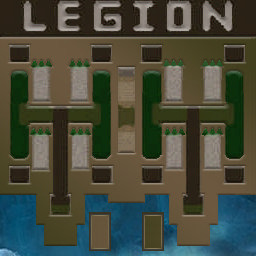
[OZ] LegionTD 4x4 x3 #4629

  • Завершение
  • 03:40 Продолжительность
  1. West Legion

    1. beast

      WC3.Info
      Вышел по окончанию игры
    2. CJIe3a_Pa3oPa1

      Iccup
      Вышел по окончанию игры
    3. D-ail7292

      Iccup
      потерял соединение (ошибка соединения)
    4. Rmzlle

      Iccup
      Вышел по окончанию игры
  2. East Legion

    1. Korben95

      Iccup
      Вышел по окончанию игры
    2. Mazehacka228

      Iccup
      Вышел по окончанию игры
    3. rebellion82

      Iccup
      Вышел по окончанию игры
    4. klimkata

      Iccup
      Вышел по окончанию игры

Чат в лобби

  1. ARS-1 !mode
    • 02:52
  2. ARS-1 !vs
    • 02:55
  3. ej1981 !sc
    • 02:55
  4. d1magg10 !sc
    • 03:56
  5. GCB инканешь фио
    • 04:46
  6. GCB ?
    • 04:47
  7. GCB л
    • 04:47
  8. GCB pls
    • 04:51

Чат в игре

  1. Korben95 -zoom 160
    • 00:00
  2. rebellion82 -zoom 200
    • 00:02
  3. Mazehacka228 -zoom 150
    • 00:09
  4. beast ближе
    • 00:40
  5. beast синий
    • 00:42
  6. beast пол клетки еще
    • 00:51
  7. D-ail7292 Afk
    • 01:02
  8. beast синий
    • 01:05
  9. D-ail7292 fio
    • 01:09
  10. beast ты руский?
    • 01:10
  11. beast ау
    • 01:19
  12. D-ail7292 ti tut
    • 01:22
  13. D-ail7292 fio
    • 01:26
  14. beast го кик и рмк
    • 01:33
  15. beast тут и синий какой то странный
    • 01:40
  16. D-ail7292 ia mid poidu
    • 01:44
  17. D-ail7292 togda
    • 01:47
  18. beast у меня синий пздц опасный
    • 01:57
  19. beast посмотри где построил
    • 02:09
  20. beast го рмк лучше
    • 02:19
  21. klimkata !rmk
    • 02:27
  22. D-ail7292 !rmk
    • 02:31
  23. beast !votekick zlle
    • 02:32
  24. Korben95 !rmk
    • 02:38
  25. beast !yes
    • 02:41
  26. D-ail7292 parni
    • 02:43
    • 02:45
  27. beast !rmk
    • 02:46
  28. D-ail7292 piwi te
    • 02:51
  29. klimkata tut 2 mida
    • 02:59
  30. D-ail7292 fio afk
    • 02:59
  31. beast !rmk
    • 03:03
  32. klimkata proebali
    • 03:03
  33. beast !yes
    • 03:08
  34. klimkata imba pick
    • 03:19
  35. klimkata piwite ff
    • 03:40
    • 03:40
  36. klimkata ja ne dam rmk
    • 03:40
  37. Rmzlle !rmk
    • 03:40
  38. D-ail7292 PARNI
    • 03:40
  39. D-ail7292 1RMK
    • 03:40
  40. D-ail7292 !RMK
    • 03:40
  41. klimkata vii dauni
    • 03:40
  42. D-ail7292 ti baran
    • 03:40
    • 03:40

Account

Navigation

Поиск

Поиск

Configure browser push notifications

Chrome (Android)
  1. Tap the lock icon next to the address bar.
  2. Tap Permissions → Notifications.
  3. Adjust your preference.
Chrome (Desktop)
  1. Click the padlock icon in the address bar.
  2. Select Site settings.
  3. Find Notifications and adjust your preference.