

Перейти к содержанию
View in the app

A better way to browse. Learn more.

WC3.Info

A full-screen app on your home screen with push notifications, badges and more.

To install this app on iOS and iPadOS
  1. Tap the Share icon in Safari
  2. Scroll the menu and tap Add to Home Screen.
  3. Tap Add in the top-right corner.
To install this app on Android
  1. Tap the 3-dot menu (⋮) in the top-right corner of the browser.
  2. Tap Add to Home screen or Install app.
  3. Confirm by tapping Install.

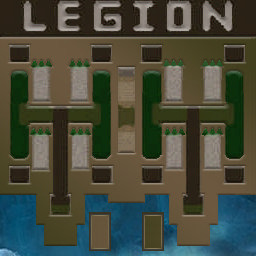
[OZ] LegionTD 4x4 x3 #4468

  • Завершение
  • 05:17 Продолжительность
  1. West Legion

    1. webmagnat

      WC3.Info
      Вышел по окончанию игры
    2. CheGevara03

      Iccup
      Вышел по окончанию игры
    3. Snake25

      Iccup
      вышел из игры ДОБРОВОЛЬНО
    4. ibra27

      WC3.Info
      Вышел по окончанию игры
  2. East Legion

    1. carlosoff

      Iccup
      вышел из игры ДОБРОВОЛЬНО
    2. swdpyps

      Iccup
      Вышел по окончанию игры
    3. NetyKlavbi))

      Iccup
      потерял соединение (ошибка соединения)
    4. wtf_002

      Iccup
      Вышел по окончанию игры

Чат в лобби

  1. ibra27 ку
    • 00:43
  2. ibra27 !mode
    • 01:01
  3. Snake25 !mode'
    • 01:20
  4. Snake25 !mode
    • 01:23
  5. Snake25 !sc
    • 01:24
  6. ibra27 туттт
    • 01:45
  7. ibra27 ?
    • 01:47
    • 01:49
  8. ibra27 красный тут?
    • 02:45

Чат в игре

  1. carlosoff -zoom 170
    • 00:00
  2. carlosoff -cls
    • 00:00
  3. Snake25 -zoom 170
    • 00:00
  4. ibra27 -zoom 150
    • 00:01
  5. webmagnat -zoom 188
    • 00:02
  6. swdpyps -zoom 170
    • 00:05
  7. webmagnat ламбани плиз
    • 00:18
  8. CheGevara03 естественно
    • 00:30
  9. webmagnat буду признателен если поставишь т3 в отвод
    • 00:33
  10. webmagnat сюда
    • 00:44
  11. webmagnat у меня тогда вообще имба будет
    • 00:47
  12. CheGevara03 сейчас или потом?
    • 00:48
  13. webmagnat сейчас
    • 00:50
  14. CheGevara03 куда
    • 00:57
  15. CheGevara03 еще раъ
    • 01:07
  16. CheGevara03 так?
    • 01:20
  17. webmagnat да
    • 01:28
  18. webmagnat спасибо
    • 01:29
  19. swdpyps даже так?)
    • 02:07
  20. webmagnat почти окупил уже)
    • 02:11
  21. CheGevara03 ага
    • 02:19
  22. CheGevara03 гоу
    • 03:37
  23. webmagnat го
    • 03:40
  24. swdpyps не клавы нету
    • 04:29
  25. swdpyps мозгов нету
    • 04:32
  26. ibra27 200
    • 04:34
  27. carlosoff зеленый понятно
    • 04:56
  28. Snake25 !rmk
    • 05:00
  29. webmagnat !ban nety shnur
    • 05:02
  30. ibra27 !rmk
    • 05:03
  31. webmagnat !rmk
    • 05:04
  32. carlosoff !rmk\
    • 05:06
  33. swdpyps !rmk
    • 05:08
  34. carlosoff !rmk
    • 05:09
    • 05:12

Account

Navigation

Поиск

Поиск

Configure browser push notifications

Chrome (Android)
  1. Tap the lock icon next to the address bar.
  2. Tap Permissions → Notifications.
  3. Adjust your preference.
Chrome (Desktop)
  1. Click the padlock icon in the address bar.
  2. Select Site settings.
  3. Find Notifications and adjust your preference.