

Перейти к содержанию
View in the app

A better way to browse. Learn more.

WC3.Info

A full-screen app on your home screen with push notifications, badges and more.

To install this app on iOS and iPadOS
  1. Tap the Share icon in Safari
  2. Scroll the menu and tap Add to Home Screen.
  3. Tap Add in the top-right corner.
To install this app on Android
  1. Tap the 3-dot menu (⋮) in the top-right corner of the browser.
  2. Tap Add to Home screen or Install app.
  3. Confirm by tapping Install.

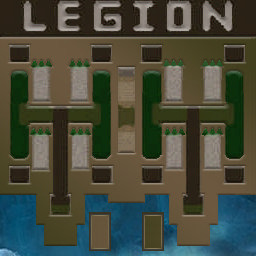
[OZ] LegionTD 4x4 x3 #833

  • Завершение
  • 05:19 Продолжительность
  1. West Legion

    1. Manishe27

      WC3.Info
      Вышел по окончанию игры
    2. Sheriff7771

      Iccup
      Вышел по окончанию игры
    3. Adidas026

      Iccup
      Вышел по окончанию игры
    4. WinstonSmith

      WC3.Info
      Вышел по окончанию игры
  2. East Legion

    1. Kratos07

      Iccup
      Вышел по окончанию игры
    2. 4totakoe

      WC3.Info
      Вышел по окончанию игры
    3. peshka31

      Iccup
      Вышел по окончанию игры
    4. Bulgakov]

      Iccup
      Вышел по окончанию игры

Чат в лобби

  1. WinstonSmith !mode
    • 10:57
  2. GuatemalaCoffee /w bobloy тут некст лобби
    • 11:44
    • 11:56
    • 11:57
    • 13:30
  3. 4totakoe !sc
    • 14:54

Чат в игре

  1. WinstonSmith -zoom 180
    • 00:00
  2. Sheriff7771 -zoom 200
    • 00:00
  3. Manishe27 -zoom 177
    • 00:01
  4. Adidas026 -zoom 188
    • 00:04
  5. Bulgakov] -п
    • 00:18
  6. Kratos07 vishe
    • 00:57
  7. Kratos07 ny ti blyat
    • 03:24
  8. 4totakoe !stats eshka
    • 03:42
  9. Kratos07 vishe nado bilo stroit
    • 03:49
  10. Kratos07 hyle ti ne slushaesh
    • 03:54
  11. peshka31 я отошел просто
    • 04:08
  12. Kratos07 pizdos
    • 04:16
  13. 4totakoe т5 строй зел
    • 04:24
  14. Kratos07 ebat
    • 04:32
  15. Kratos07 che za hyetty
    • 04:38
  16. 4totakoe от куда такое чмо
    • 04:40
  17. Kratos07 ti ebshosh
    • 04:42
  18. Adidas026 !rmk
    • 05:19
  19. 4totakoe желт а ты то куда?
    • 05:19
  20. Adidas026 заебалши
    • 05:19
  21. Adidas026 пидорасина
    • 05:19
    • 05:19
  22. 4totakoe пиздец тима даунов
    • 05:19
  23. Bulgakov] !rmk
    • 05:19
  24. Kratos07 ya poka pisal emy
    • 05:19
  25. Kratos07 !rmk
    • 05:19
  26. 4totakoe !rmk
    • 05:19
  27. Kratos07 fast
    • 05:19
  28. Kratos07 go rmk
    • 05:19
  29. Kratos07 ne apnyl tuskara
    • 05:19
  30. WinstonSmith Ну куда
    • 05:19
  31. 4totakoe надеюсб красный ливнёт и рмк
    • 05:19
    • 05:19
  32. peshka31 !rmk
    • 05:19

Account

Navigation

Поиск

Поиск

Configure browser push notifications

Chrome (Android)
  1. Tap the lock icon next to the address bar.
  2. Tap Permissions → Notifications.
  3. Adjust your preference.
Chrome (Desktop)
  1. Click the padlock icon in the address bar.
  2. Select Site settings.
  3. Find Notifications and adjust your preference.