

- Завершение
-
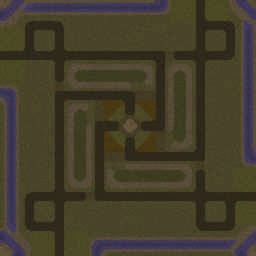
- 29:13 Продолжительность
-
Defenders
-
POTAPOV1987@Iccup
POTAPOV1987
Iccupвышел из игры ДОБРОВОЛЬНО -
olim_disco@Iccup
olim_disco
Iccupвышел из игры ДОБРОВОЛЬНО
-
POTAPOV1987@Iccup
Чат в лобби
-
POTAPOV1987 !мы
- 440:41
-
POTAPOV1987 !vs
- 440:44
-
olim_disco 2+
- 443:15
-
olim_disco 2+
- 443:16
-
olim_disco .2+
- 443:17
-
olim_disco 2+
- 443:18
-
olim_disco 2+
- 443:19
-
olim_disco 2+
- 443:19
-
olim_disco 2+
- 443:20
-
olim_disco 2+
- 443:20
-
olim_disco 2+
- 443:21
-
olim_disco 2+
- 443:21
-
olim_disco 2+
- 443:22
-
olim_disco 2+
- 443:22
-
olim_disco 2+
- 443:23
-
olim_disco 2+
- 443:24
-
olim_disco 2+
- 443:24
-
olim_disco 2+
- 443:25
-
olim_disco 2+
- 443:25
-
olim_disco 2+
- 443:26
-
olim_disco 2+
- 443:26
-
olim_disco 2+
- 443:27
-
olim_disco 2+
- 443:27
-
olim_disco 2+
- 443:28
-
olim_disco 2+
- 443:28
-
olim_disco 2+
- 443:29
-
olim_disco 2+
- 443:29
-
olim_disco 2+
- 443:30
-
olim_disco 2+
- 443:30
-
olim_disco 2+
- 443:31
-
POTAPOV1987 !vs
- 443:40
-
POTAPOV1987 + 1 !vs
- 443:45
-
POTAPOV1987 дваем лудше проити
- 443:55
-
POTAPOV1987 pisi !vs
- 444:08
-
POTAPOV1987 !мы
- 444:12
-
olim_disco !vs
- 444:13
-
- 444:14
-
- 444:15
-
POTAPOV1987 sa
- 444:15
-
POTAPOV1987 fd
- 444:15
-
POTAPOV1987 fsd
- 444:15
-
POTAPOV1987 sadfg
- 444:16
-
POTAPOV1987 fgd
- 444:16
-
POTAPOV1987 hdgf
- 444:16
-
POTAPOV1987 fhndjg
- 444:16
-
POTAPOV1987 hjfg
- 444:16
-
POTAPOV1987 hjg
- 444:16
-
POTAPOV1987 hgj
- 444:17
Чат в игре
-
POTAPOV1987 -zoom 888
- 00:47
-
POTAPOV1987 -zoom 200
- 00:56
-
POTAPOV1987 Братан
- 06:59
-
POTAPOV1987 ты тут
- 07:02
-
POTAPOV1987 скоро летучие
- 07:17
-
POTAPOV1987 -air
- 07:37
-
POTAPOV1987 ns c rjrjuj ujhjlf
- 09:38
-
POTAPOV1987 ты с кокого города
- 09:46
-
POTAPOV1987 -air
- 19:19
-
POTAPOV1987 )))))))))))]
- 27:23