

Перейти к содержанию
View in the app

A better way to browse. Learn more.

WC3.Info

A full-screen app on your home screen with push notifications, badges and more.

To install this app on iOS and iPadOS
  1. Tap the Share icon in Safari
  2. Scroll the menu and tap Add to Home Screen.
  3. Tap Add in the top-right corner.
To install this app on Android
  1. Tap the 3-dot menu (⋮) in the top-right corner of the browser.
  2. Tap Add to Home screen or Install app.
  3. Confirm by tapping Install.

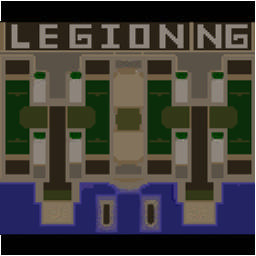
[WC3] Legion TD x20 NG #395

  • Завершение
  • 22:16 Продолжительность
  1. West Legion

    1. ramazan.01

      Iccup

      +11.00

      1085 > 1096
      вышел из игры ДОБРОВОЛЬНО
    2. AcyHHa

      Iccup

      +12.00

      1061 > 1073
      вышел из игры ДОБРОВОЛЬНО
    3. alibek1996

      Iccup

      +17.00

      943 > 960
      вышел из игры ДОБРОВОЛЬНО
    4. ipoxuy

      Iccup

      +13.00

      1024 > 1037
      вышел из игры ДОБРОВОЛЬНО
  2. East Legion

    1. pruient

      Iccup

      -10.00

      965 > 955
      вышел из игры ДОБРОВОЛЬНО
    2. BGNikolay

      Iccup

      -15.00

      1094 > 1079
      вышел из игры ДОБРОВОЛЬНО
    3. zeus.imba

      Iccup

      -17.00

      1134 > 1117
      вышел из игры ДОБРОВОЛЬНО
    4. Fgreenplastic

      Iccup

      -10.00

      963 > 953
      вышел из игры ДОБРОВОЛЬНО

Чат в лобби

  1. ipoxuy !ыс
    • 01:51
  2. ipoxuy !sc
    • 01:52
  3. ipoxuy zeus?
    • 02:01
    • 02:20
  4. ipoxuy как тут писать clearstats
    • 02:29
  5. zeus.imba nikak
    • 02:37
  6. ipoxuy бля
    • 02:39
  7. ipoxuy прошлем был да такой?:
    • 02:50
  8. ipoxuy !sc
    • 03:24
  9. BGNikolay poxuy dai purple color
    • 03:34
  10. ipoxuy !sc
    • 03:42
  11. BGNikolay greenplastic dai roza
    • 04:05
  12. BGNikolay !sc
    • 04:34
  13. ipoxuy !sc
    • 04:37

Чат в игре

    • 00:02
  1. ipoxuy -zoom 190
    • 00:04
  2. ipoxuy -cls
    • 00:04
  3. Fgreenplastic -zoom 165
    • 00:05
  4. ramazan.01 -zoom 222
    • 00:10
  5. ipoxuy -cls
    • 01:26
  6. ipoxuy -cls
    • 01:43
  7. zeus.imba stak
    • 01:56
  8. ipoxuy -cls
    • 03:35
  9. BGNikolay bro wisps
    • 03:38
  10. ipoxuy -cls
    • 03:41
  11. BGNikolay no lumber no win
    • 04:28
  12. ipoxuy -cls
    • 04:29
  13. BGNikolay tctctc
    • 04:52
  14. BGNikolay wisps man
    • 05:09
  15. ipoxuy -cls
    • 05:09
  16. ipoxuy -cls
    • 05:19
  17. BGNikolay stak
    • 05:26
  18. ipoxuy -cls
    • 05:31
  19. BGNikolay im okay
    • 05:45
  20. ipoxuy -cls
    • 06:10
  21. alibek1996 -zoom 199
    • 06:20
  22. BGNikolay save for 9
    • 06:42
  23. ipoxuy -cls
    • 07:24
  24. zeus.imba tam dopeli
    • 09:16
  25. zeus.imba pizdes
    • 09:19
  26. zeus.imba do 9
    • 09:20
  27. zeus.imba ne daem
    • 09:23
  28. ipoxuy -cls
    • 09:36
  29. ipoxuy -cls
    • 09:57
  30. ipoxuy -cls
    • 10:23
  31. ipoxuy -cls
    • 10:26
  32. ipoxuy -cls
    • 12:21
  33. ipoxuy -cls
    • 13:54
  34. ipoxuy -cls
    • 14:03
  35. ipoxuy -cls
    • 14:08
  36. ipoxuy -cls
    • 15:01
  37. BGNikolay 9 level --> x1 500 240 120 100 x3 troll warlock max 340
    • 15:26
  38. ipoxuy -cls
    • 15:31
  39. ipoxuy -cls
    • 16:12
  40. ipoxuy -cls
    • 16:18
  41. ipoxuy -cls
    • 16:22
  42. BGNikolay x1 500 240 120 100 3 warlock 3 troll most important
    • 16:48
  43. BGNikolay after that max 340 siege machines
    • 17:05
  44. BGNikolay no champ 9 level
    • 17:19
  45. BGNikolay stop auto champ
    • 17:22
  46. ipoxuy -cls
    • 19:06
  47. BGNikolay up lumber
    • 19:23
  48. BGNikolay and king if need
    • 19:25
  49. BGNikolay we lost
    • 19:59
  50. ipoxuy nice
    • 20:07
  51. ipoxuy acuuna
    • 20:08
  52. ipoxuy -cls
    • 20:09
  53. ipoxuy izi defali
    • 20:15
  54. ipoxuy oni ne defali
    • 20:24
  55. pruient !ff
    • 20:59
  56. zeus.imba -ff
    • 21:01
  57. ipoxuy !sc
    • 21:09
  58. ipoxuy gg wp
    • 21:22

Account

Navigation

Поиск

Поиск

Configure browser push notifications

Chrome (Android)
  1. Tap the lock icon next to the address bar.
  2. Tap Permissions → Notifications.
  3. Adjust your preference.
Chrome (Desktop)
  1. Click the padlock icon in the address bar.
  2. Select Site settings.
  3. Find Notifications and adjust your preference.