

Перейти к содержанию
View in the app

A better way to browse. Learn more.

WC3.Info

A full-screen app on your home screen with push notifications, badges and more.

To install this app on iOS and iPadOS
  1. Tap the Share icon in Safari
  2. Scroll the menu and tap Add to Home Screen.
  3. Tap Add in the top-right corner.
To install this app on Android
  1. Tap the 3-dot menu (⋮) in the top-right corner of the browser.
  2. Tap Add to Home screen or Install app.
  3. Confirm by tapping Install.

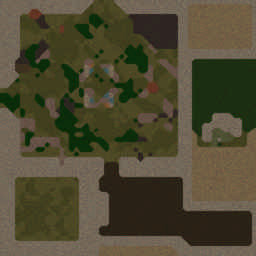
[OZ] Life in Arena #885

  • Завершение
  • 22:00 Продолжительность
  1. Глaдиaтopы

    1. Bihan

      Iccup

      -12.00

      1000 > 988
      вышел из игры ДОБРОВОЛЬНО
    2. WaRLoRD_xxx

      Iccup

      -12.00

      1000 > 988
      вышел из игры ДОБРОВОЛЬНО
    3. Diiii00

      Iccup

      -12.00

      997 > 985
      вышел из игры ДОБРОВОЛЬНО
    4. Weterun

      Iccup

      -12.00

      994 > 982
      вышел из игры ДОБРОВОЛЬНО
    5. Ceppec

      Iccup

      -12.00

      1024 > 1012
      вышел из игры ДОБРОВОЛЬНО
    6. emilion031

      Iccup

      -13.00

      1086 > 1073
      вышел из игры ДОБРОВОЛЬНО

Чат в лобби

  1. Bihan !start
    • 00:10
  2. Bihan !go
    • 00:12
  3. emilion031 !го
    • 01:06
  4. Bihan !го
    • 01:14
  5. Diiii00 !vs
    • 01:17
  6. Ceppec !го
    • 01:19
  7. WaRLoRD_xxx !го
    • 01:19
  8. emilion031 сифилс сливной
    • 01:20

Чат в игре

  1. Diiii00 -zoom 150
    • 00:05
  2. Ceppec -zoom 150
    • 00:12
  3. Diiii00 -re
    • 00:23
  4. emilion031 магов много
    • 00:26
  5. WaRLoRD_xxx >>Враг ушел с линии!
    • 00:47
  6. emilion031 >> Иду на помощь
    • 00:49
  7. emilion031 двигайчся
    • 01:18
  8. emilion031 там место для 2
    • 01:25
  9. Ceppec -ng
    • 04:11
  10. Ceppec -tp
    • 04:13
  11. Ceppec -tp
    • 06:58
  12. Diiii00 int
    • 10:06
  13. Ceppec -tp
    • 10:11
  14. emilion031 пошли нахуй
    • 15:41
  15. emilion031 ебаный странник
    • 15:45
  16. emilion031 слил катку
    • 15:48
  17. Ceppec -ng
    • 16:55
  18. Ceppec -tp
    • 16:58
  19. Diiii00 est 10?
    • 17:04

Account

Navigation

Поиск

Поиск

Configure browser push notifications

Chrome (Android)
  1. Tap the lock icon next to the address bar.
  2. Tap Permissions → Notifications.
  3. Adjust your preference.
Chrome (Desktop)
  1. Click the padlock icon in the address bar.
  2. Select Site settings.
  3. Find Notifications and adjust your preference.