

Перейти к содержанию
View in the app

A better way to browse. Learn more.

WC3.Info

A full-screen app on your home screen with push notifications, badges and more.

To install this app on iOS and iPadOS
  1. Tap the Share icon in Safari
  2. Scroll the menu and tap Add to Home Screen.
  3. Tap Add in the top-right corner.
To install this app on Android
  1. Tap the 3-dot menu (⋮) in the top-right corner of the browser.
  2. Tap Add to Home screen or Install app.
  3. Confirm by tapping Install.

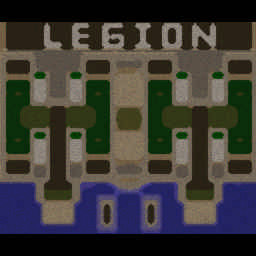
[OZ] LTD-X20 4.5x20 OZ #754

  • Завершение
  • 25:40 Продолжительность
  1. West Legion

    1. Demogod1724514

      Iccup

      -4.00

      852 > 848
      вышел из игры ДОБРОВОЛЬНО
    2. OLENINAKOLENI

      Iccup

      -10.00

      1019 > 1009
      вышел из игры ДОБРОВОЛЬНО
    3. (((((5)))))

      Iccup

      -9.00

      1006 > 997
      вышел из игры ДОБРОВОЛЬНО
    4. t0p

      WC3.Info

      -12.00

      1086 > 1074
      вышел из игры ДОБРОВОЛЬНО
  2. East Legion

    1. [GinggonG]

      Iccup

      +12.00

      1010 > 1022
      вышел из игры ДОБРОВОЛЬНО
    2. urganch90

      Iccup

      +9.00

      1088 > 1097
      вышел из игры ДОБРОВОЛЬНО
    3. atr_glad

      Iccup

      +8.00

      1121 > 1129
      вышел из игры ДОБРОВОЛЬНО
    4. WOPFDestroy

      Iccup

      +6.00

      1173 > 1179
      вышел из игры ДОБРОВОЛЬНО

Чат в лобби

  1. atr_glad !mode
    • 01:18
  2. atr_glad !sc
    • 01:19
    • 01:39
  3. atr_glad !sc
    • 01:54
  4. [GinggonG] !mode
    • 01:55
    • 02:02
  5. byshkass !mode
    • 02:04
  6. urganch90 щм
    • 02:06
  7. WOPFDestroy !mode
    • 02:12
    • 03:07
  8. atr_glad !sc
    • 03:20

Чат в игре

  1. OLENINAKOLENI -zoom 190
    • 00:00
    • 00:01
  2. Demogod1724514 -zoom 200
    • 00:04
  3. atr_glad -zoom 188
    • 00:04
  4. atr_glad !sc
    • 00:05
  5. WOPFDestroy -zoom 200
    • 00:09
    • 00:12
    • 01:24
  6. OLENINAKOLENI korm est?
    • 02:17
    • 02:34
  7. OLENINAKOLENI bez korma
    • 02:36
    • 04:00
  8. urganch90 korim noda
    • 04:55
  9. urganch90 korm
    • 05:20
  10. urganch90 noda
    • 05:21
  11. urganch90 4emp
    • 05:27
  12. urganch90 def
    • 05:42
  13. urganch90 yes
    • 05:43
  14. [GinggonG] 4-5 вам чемпа давать?
    • 05:48
  15. WOPFDestroy you def
    • 06:18
    • 06:24
  16. urganch90 ani kidat
    • 06:32
  17. WOPFDestroy you will see
    • 06:36
  18. WOPFDestroy !stats urga
    • 07:00
  19. t0p aurasno?
    • 07:17
    • 07:19
    • 07:22
  20. urganch90 dam
    • 07:24
  21. urganch90 brat
    • 07:26
  22. t0p ursa
    • 07:30
  23. t0p kodo
    • 07:31
  24. t0p hello
    • 07:33
    • 09:11
    • 09:19
    • 11:50
    • 14:29
    • 14:30
    • 15:53
  25. OLENINAKOLENI kormit
    • 15:55
    • 15:56
    • 16:59
  26. OLENINAKOLENI fenix bag?
    • 19:05
    • 20:22
  27. OLENINAKOLENI storite
    • 20:24
  28. OLENINAKOLENI 10 kinet
    • 20:27
  29. OLENINAKOLENI esli che dark
    • 23:04
  30. [GinggonG] нормально все?)
    • 23:41
  31. [GinggonG] 30к ушло
    • 23:54
  32. atr_glad есть кто живой?
    • 24:03
  33. (((((5))))) -аа
    • 24:25
    • 24:30
  34. t0p WARLOCK
    • 24:43
    • 25:02
  35. t0p -ff
    • 25:23
  36. t0p прем гж
    • 25:26

Account

Navigation

Поиск

Поиск

Configure browser push notifications

Chrome (Android)
  1. Tap the lock icon next to the address bar.
  2. Tap Permissions → Notifications.
  3. Adjust your preference.
Chrome (Desktop)
  1. Click the padlock icon in the address bar.
  2. Select Site settings.
  3. Find Notifications and adjust your preference.