Перейти к содержанию
View in the app

A better way to browse. Learn more.

WC3.Info

A full-screen app on your home screen with push notifications, badges and more.

To install this app on iOS and iPadOS
  1. Tap the Share icon in Safari
  2. Scroll the menu and tap Add to Home Screen.
  3. Tap Add in the top-right corner.
To install this app on Android
  1. Tap the 3-dot menu (⋮) in the top-right corner of the browser.
  2. Tap Add to Home screen or Install app.
  3. Confirm by tapping Install.

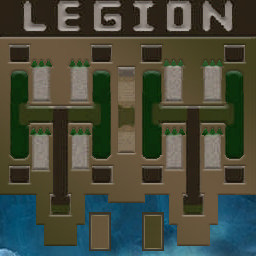
[OZ] LTD-1x1 King Limit #118

  • Завершение
  • 28:42 Продолжительность
  1. Western Force

    1. Bendjamen

      WC3.Info
      вышел из игры ДОБРОВОЛЬНО
  2. Eastern Force

    1. GiGrom15

      WC3.Info
      вышел из игры ДОБРОВОЛЬНО

Чат в лобби

  • Bendjamen по-быстрому кочну тебя 10:56

Чат в игре

  • Bendjamen у тебя какой скил у кинга? 07:50
  • GiGrom15 хороший 08:08
  • GiGrom15 а у ттебя ? 08:11
  • GiGrom15 мне повезло 08:17
  • Bendjamen даже получ немного 08:19
  • GiGrom15 у меня лучше стопудова 08:32
  • GiGrom15 живой? 15:04
  • Bendjamen ага 15:07
  • GiGrom15 силен 19:36
  • Bendjamen хуя ты там магов настроил)) 19:47
  • GiGrom15 а они тут дешовые )) по 150 19:56
  • GiGrom15 обычно мне с инком туго 20:15
  • GiGrom15 а было дело меня тип чисто ими выиграл 20:25
  • Bendjamen я сам очень редко 1-1 играю 20:30
  • GiGrom15 бан?) 20:39
  • Bendjamen нее 20:43
  • Bendjamen я 4-4 20:46
  • Bendjamen больше 20:47
  • GiGrom15 я тож 20:52
  • Bendjamen тут я не шарю нехуя 20:54
  • GiGrom15 там фоном кричат чето хзоть 20:59
  • GiGrom15 иуменя стан 21:48
  • GiGrom15 гг 27:35

Configure browser push notifications

Chrome (Android)
  1. Tap the lock icon next to the address bar.
  2. Tap Permissions → Notifications.
  3. Adjust your preference.
Chrome (Desktop)
  1. Click the padlock icon in the address bar.
  2. Select Site settings.
  3. Find Notifications and adjust your preference.