Перейти к содержанию
View in the app

A better way to browse. Learn more.

WC3.Info

A full-screen app on your home screen with push notifications, badges and more.

To install this app on iOS and iPadOS
  1. Tap the Share icon in Safari
  2. Scroll the menu and tap Add to Home Screen.
  3. Tap Add in the top-right corner.
To install this app on Android
  1. Tap the 3-dot menu (⋮) in the top-right corner of the browser.
  2. Tap Add to Home screen or Install app.
  3. Confirm by tapping Install.

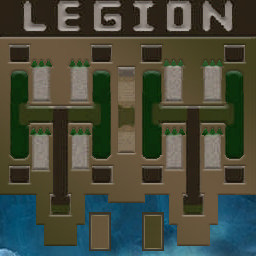
[OZ] LTD-1x1 King Limit #112

  • Завершение
  • 12:25 Продолжительность
  1. Western Force

    1. GiGrom15

      WC3.Info
      вышел из игры ДОБРОВОЛЬНО
  2. Eastern Force

    1. SxvatilZaPisky

      WC3.Info
      вышел из игры ДОБРОВОЛЬНО

Чат в лобби

Чат в игре

  • SxvatilZaPisky готов сраку 00:55
  • SxvatilZaPisky ебать тебя буду 01:04
  • GiGrom15 фу 01:17
  • GiGrom15 знаешь что ВиЧ от этого произошел? 01:38
  • SxvatilZaPisky в анус 01:42
  • SxvatilZaPisky в анус твой сладкий 01:54
  • GiGrom15 ты знаешь что даже через резинку вонять будет неотмоешься? 02:12
  • GiGrom15 так что знай 03:10
  • GiGrom15 для тебя именно! Бог сотворил все лучшее 03:29
  • GiGrom15 тебье надо в церковь 03:36
  • GiGrom15 чтобы взять 03:43
  • GiGrom15 уготованное 03:52
  • GiGrom15 ты че вышел чтоли? 09:06

Configure browser push notifications

Chrome (Android)
  1. Tap the lock icon next to the address bar.
  2. Tap Permissions → Notifications.
  3. Adjust your preference.
Chrome (Desktop)
  1. Click the padlock icon in the address bar.
  2. Select Site settings.
  3. Find Notifications and adjust your preference.