Перейти к содержанию
View in the app

A better way to browse. Learn more.

WC3.Info

A full-screen app on your home screen with push notifications, badges and more.

To install this app on iOS and iPadOS
  1. Tap the Share icon in Safari
  2. Scroll the menu and tap Add to Home Screen.
  3. Tap Add in the top-right corner.
To install this app on Android
  1. Tap the 3-dot menu (⋮) in the top-right corner of the browser.
  2. Tap Add to Home screen or Install app.
  3. Confirm by tapping Install.

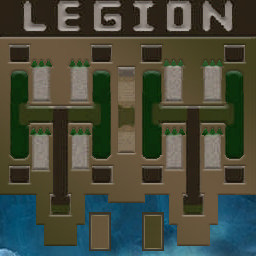
[OZ] LTD-1x1 King Limit #181

  • Завершение
  • 57:30 Продолжительность
  1. Western Force

    1. jmotina

      WC3.Info

      +5.00

      1128 > 1133
      вышел из игры ДОБРОВОЛЬНО
  2. Eastern Force

    1. terman

      WC3.Info

      -5.00

      887 > 882
      вышел из игры ДОБРОВОЛЬНО

Чат в лобби

Чат в игре

  • jmotina спс г? 00:50
  • terman го 00:52
  • jmotina гг 36:59
  • terman хах 38:06
  • jmotina норм 38:10
  • terman живее всех живых 38:15
  • terman любая ошибка в контроле и всё 38:45
  • terman но повезло не ошибиться) 38:59
  • jmotina хорошо демон шел 39:00
  • terman я стакнул его 39:06
  • jmotina жира много конечно 45:41
  • terman ну вот это дали. играю как могу) 46:12
  • jmotina ну мутов наролил 46:29
  • terman зато с птиц старт 46:47
  • jmotina ну птицы норм 46:57
  • terman с бесполезного юнита 47:00
  • terman кроме начала нигде ничего не делают 47:23
  • terman да и там не очень 47:30
  • jmotina гг 56:44
  • jmotina мне много накидало 56:54
  • jmotina все кроме хила было 56:59

Configure browser push notifications

Chrome (Android)
  1. Tap the lock icon next to the address bar.
  2. Tap Permissions → Notifications.
  3. Adjust your preference.
Chrome (Desktop)
  1. Click the padlock icon in the address bar.
  2. Select Site settings.
  3. Find Notifications and adjust your preference.