

Перейти к содержанию
View in the app

A better way to browse. Learn more.

WC3.Info

A full-screen app on your home screen with push notifications, badges and more.

To install this app on iOS and iPadOS
  1. Tap the Share icon in Safari
  2. Scroll the menu and tap Add to Home Screen.
  3. Tap Add in the top-right corner.
To install this app on Android
  1. Tap the 3-dot menu (⋮) in the top-right corner of the browser.
  2. Tap Add to Home screen or Install app.
  3. Confirm by tapping Install.

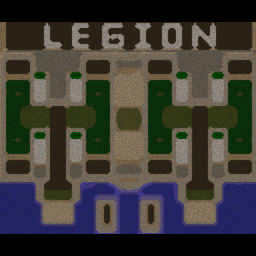
[OZ] Legion Mega x10 3.41 #10

  • Завершение
  • 05:46 Продолжительность
  1. West Legion

    1. q0p

      WC3.Info
      Вышел по окончанию игры
    2. T(sar)1

      Iccup
      Вышел по окончанию игры
  2. East Legion

    1. BurDey1991

      Iccup
      вышел из игры ДОБРОВОЛЬНО
    2. UrGeNcH001

      Iccup
      Вышел по окончанию игры
    3. ebarterror

      Iccup
      вышел из игры ДОБРОВОЛЬНО

Чат в лобби

  • q0p !swap 1 2 56 06:43
  • q0p !swap 1 2 5 6 07:01
  • q0p странно 07:07
  • q0p !swap 3 1 07:11
  • q0p !swap 2 6 07:23
  • q0p !mode 07:32
  • q0p !hcl -prgmcbah 07:38
  • q0p !p 07:44
  • q0p !start 07:46

Чат в игре

  • q0p -zoom 174 00:01
  • q0p -ss 00:02
  • T(sar)1 -zoom 144 00:03
  • T(sar)1 byrfye 00:17
  • T(sar)1 инкану 00:19
  • q0p стакай 01:20
  • q0p себя 01:21
  • ebarterror !rmk 02:15
  • T(sar)1 ауры 02:28
  • ebarterror why u started 2x3 02:29
  • T(sar)1 щас можно ставить? 02:32
  • q0p 2ой 02:34
  • q0p кидаем 02:35
  • q0p !bl лив 03:16
  • q0p так себе 03:53
  • q0p для инка 03:55
  • q0p т1 03:57
  • T(sar)1 а как каты 04:04
  • q0p танки 04:10
  • T(sar)1 умрут пез пиздюков 04:12
  • q0p построй замедло 05:08
  • q0p апнутое 05:10
  • T(sar)1 я их апать не буду 05:11
  • T(sar)1 просто нужно было чтобы не сдохли 05:19
  • q0p !rmk 05:35
  • q0p не интересно 05:40
  • T(sar)1 !rmk 05:40
  • UrGeNcH001 !rmk 05:41

Configure browser push notifications

Chrome (Android)
  1. Tap the lock icon next to the address bar.
  2. Tap Permissions → Notifications.
  3. Adjust your preference.
Chrome (Desktop)
  1. Click the padlock icon in the address bar.
  2. Select Site settings.
  3. Find Notifications and adjust your preference.