Перейти к содержанию
View in the app

A better way to browse. Learn more.

WC3.Info

A full-screen app on your home screen with push notifications, badges and more.

To install this app on iOS and iPadOS
  1. Tap the Share icon in Safari
  2. Scroll the menu and tap Add to Home Screen.
  3. Tap Add in the top-right corner.
To install this app on Android
  1. Tap the 3-dot menu (⋮) in the top-right corner of the browser.
  2. Tap Add to Home screen or Install app.
  3. Confirm by tapping Install.

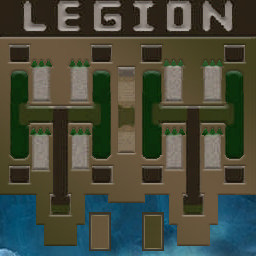
[OZ] LTD-1x1 King Limit #203

  • Завершение
  • 37:49 Продолжительность
  1. Western Force

    1. jmotina

      WC3.Info

      +20.00

      1027 > 1047
      вышел из игры ДОБРОВОЛЬНО
  2. Eastern Force

    1. d_bat

      Iccup

      -20.00

      1228 > 1208
      вышел из игры ДОБРОВОЛЬНО

Чат в лобби

Чат в игре

  • jmotina привет 00:15
  • d_bat ку 00:32
  • jmotina а где совесть? ) 00:34
  • jmotina дуб чтоли 14:43
  • d_bat дуб с фвнтми 15:29
  • jmotina ну норм 15:33
  • d_bat аиздец какойто 28:07
  • d_bat все волны теку 28:18
  • jmotina угу 0 боунти уже 28:25
  • d_bat 7-5 походу надо сидеть на дубах 28:36
  • jmotina хз я 7 10 28:45
  • d_bat ты то понятно 28:55
  • d_bat щас 7-15 улетишь 29:08
  • jmotina ну да чет дох течешь 30:21
  • jmotina чет дох течешь 32:19
  • jmotina а 18 станом дефается 33:47
  • jmotina с 2100 33:49
  • jmotina нелохо поиграли 36:55
  • jmotina ну зато мы выяснили что на дубах надо сидеть 7 5 37:23

Configure browser push notifications

Chrome (Android)
  1. Tap the lock icon next to the address bar.
  2. Tap Permissions → Notifications.
  3. Adjust your preference.
Chrome (Desktop)
  1. Click the padlock icon in the address bar.
  2. Select Site settings.
  3. Find Notifications and adjust your preference.